-
Created by
 Jasperre, last updated by Kevin on Dec 21, 2022
5 minute read
Jasperre, last updated by Kevin on Dec 21, 2022
5 minute read
HAK files (hakpack files) are a type of ERF container which holds much of the custom content a module (or several modules) uses in the game.
Usually you use hakpack files for anything that isn't stored in the .mod file such as models, 2da files and textures. In fact it is really any file in the game - EE can load movies, sounds, music and other things that used to be tied to a folder from a hakpack file.
Hakpacks override the base game content allowing you to change (most) game data files (some are loaded at game start and not reloaded at module start however, generally some specific 2da files and things like fonts).
Hakpacks can be overridden themselves but only by essentially the development folder (and oddly, the portrait folders). See Content Load Order.
For a tutorial on hakpacks see Introduction to Hakpacks.
Hakpack file naming conventions
You should use lowercase letters for HAK files, specifically because Linux can fail to load files with mixed capitals and lowercase letters.
Typically you'd use ASCII characters a-z and 0-9 with underscores. You can use other characters that the OS supports but it might break (Windows fails to load some, Linux may fail to load others).
HAK File names should be limited to 16 characters for compatibility with the game, toolset and nwhak.exe
Hakpack Contents naming conventions
All custom content needs to be kept to 16 characters maximum. This is 2da files, textures, models, scripts etc. The game fails to load anything that is 17 characters (in fact this can outright crash the game, have fun figuring that one out when it happens!).
As with a hakpack it is a highly recommended best practice to use lowercase numbers and letters and underscores only for filenames. Others are supported but not every ASCII character works in the game or on specific operating systems. As with hakpacks themselves, mixing cases is a bad idea - in fact nwhak.exe allows you to add 2 files of the same name with different cases, making it confusing which is even loaded.
File Number Limits
It can contain files from the module but this need has been lessened since the 16K limit has been lifted in EE. This means you don't have to move very small but high quantity files like .nss and .ncs (script files) to a separate hakpack anymore.
File Size Limits
However it should be noted that you should keep hakpacks to less than 2GB filesize. This helps the Toolset and tools like nwsync work properly.
In addition due to the nwsync filesize limit of 15MB it is recommended to keep all single files under this size. This allows for compatibility with nwsync repos. There are a variety of methods to keep the largest files (skybox textures, high resolution textures) smaller or use multiples on a single model to get around the limits.
Order of Prescedence
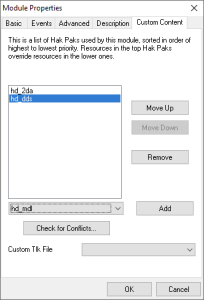
The hakpack order in the toolset is top to bottom, ie a file loaded in the top hakpacks overrides any attempt to load a same-named file in the lower ones. In the example below "hd_2da" loads first, then "hd_dds". If the first one had the same files as the second, the first is used.
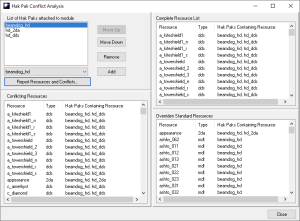
One method to check for these clashes is the "Check for Conflicts..." button. Put all the hakpacks to check in the list then hit Report Resources and Conflicts...
This generates a report as per below where the conflicting resources are listed in the bottom left, it also helpfully lists what standard resources are overriden which may be helpful.
File Naming Convention
Since the game loads "case insensitively" you can have 2 files of the same name in the same hakpack but only one is loaded!
This is why it is recommended you always use lowercase names. This stop the error from ever occurring and has the benefit on case-sensitive operating systems of not, again, having clashes if some content is released as an override or when you're testing in the development folder.
Note - no Compression
The default game hakpack files do not use compression, meaning if you distribute the files over the internet please zip or 7zip the files up for much more compressed versions. Sadly this means a lot of space used on the players machine - although nwsync basically alleviates this for commonly used content and modules can share hakpack files.
Hackpack Tools
You can open, edit, create, and change hakpack files with a few different tools.
nwhak.exe
The game includes a Windows executable called nwhak.exe - located in the EE installation in the same location as nwmain.exe
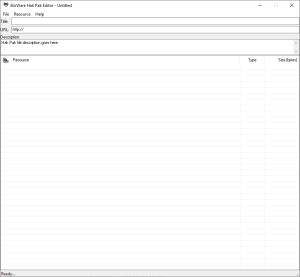
This is a simple GUI tool to allow you to add, remove and merge hakpack files. It's mostly self explanatory, but note the 2GB limit and this tool may choke on large amounts of files - the Resource Limits page details the increase from 16K to essentially unlimited, but this tool may still not like more than 16K files.
neverwinter-nim tools
The nim tools are command line utilities to generate game files. The repository to download them is located here: https://github.com/niv/neverwinter.nim/releases
For Windows if it complains about missing DLL files download this package to use the dll files: https://github.com/niv/nwsync/releases/tag/svc-9
You can open a shell or command prompt (or preferably Powershell on Windows) to run the tool after extraction from the download zip. For example the below on Windows using Powershell will take files from D:\NWN\HD Pack\source\2da_only and create the hakpack file D:\NWN\HD Pack\hd_2da.hak ready to use. Make sure you specify the .hak extension to generate the right file type.
.\nwn_erf.exe -f "D:\NWN\HD Pack\hd_2da.hak" -c "D:\NWN\HD Pack\source\2da_only"
The generation of the hakpack file is generally very quick (on an SSD) - primarily because it doesn't compress anything just serialises it all to disk.
Remember the 2GB limit - the folder size since it is uncompressed should be 1.95GB or lower preferably.
You can extract hakpack files with these tools as well.
nwnexplorer
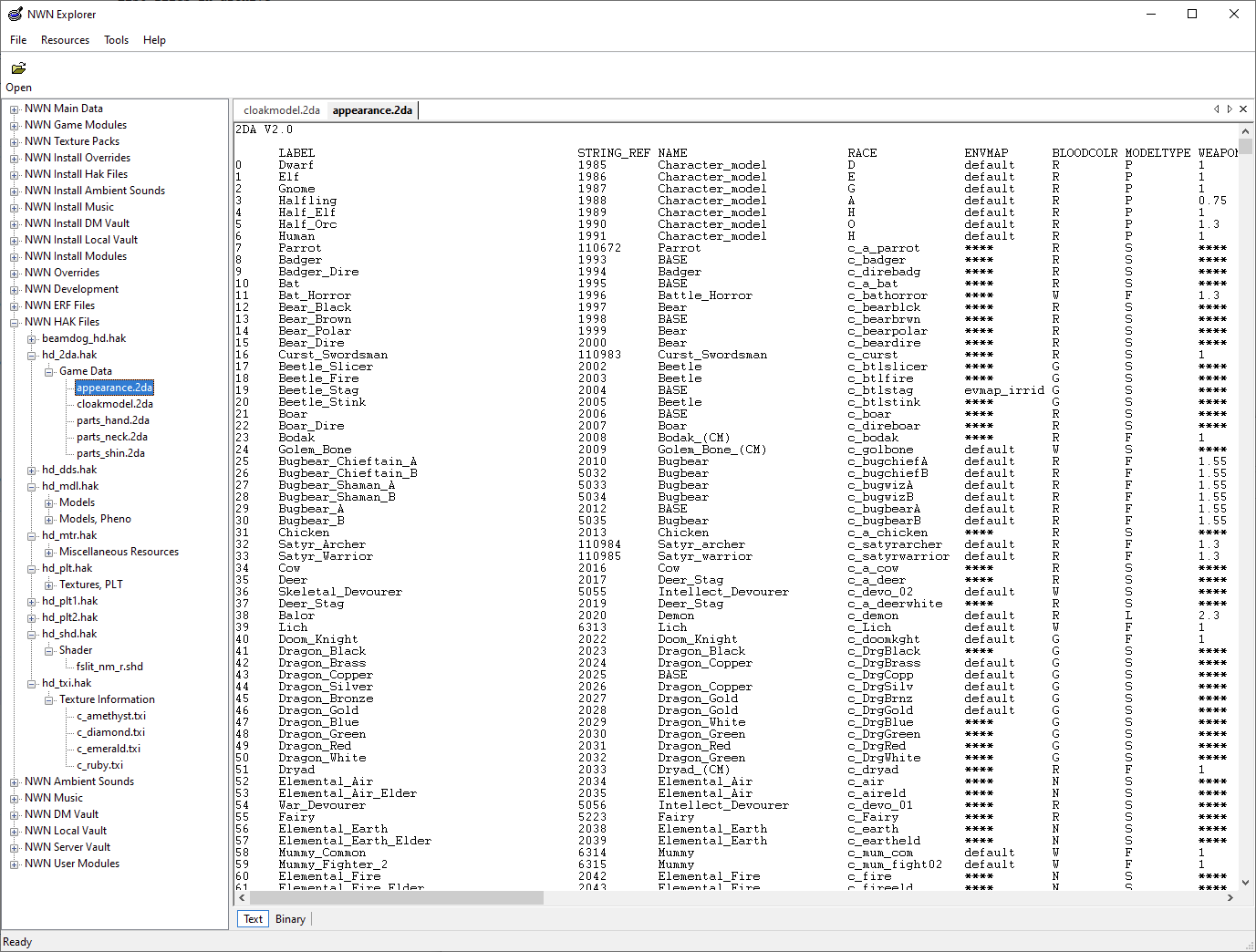
A simple note that nwnexplorer can read/search/extract hakpack files easily and show the contents in a much more ordered fashion with some light categorisation.