-
Created by
 Jasperre, last updated on Mar 30, 2023
5 minute read
Jasperre, last updated on Mar 30, 2023
5 minute read
Some basics on creature movement.
creaturespeed.2da
This defines the basic movement of a creature (PC or NPC) in meters per second. Notably the PC movement speed is always slightly faster or slower than NPC speeds. Sigh!
This is hardcoded in the toolset to only show certain options (primarily not line 0) and hardcoded as to how "Default" works. It might be modifiable in the creatures GFF itself to allow PC movement to be chosen. An easier route is to change "Normal" to match PC however.
PC movement is hardcoded to line 0.
Creatures added to a PCs party - eg; Henchmen, Summons, Animal Companions and Familiars - automatically get set to line 0 (via. GetMovementRate) if they are "Normal" speed or below, meaning henchmen get a little boost to speed to follow the PC, and doesn't seem to revert back if removed as a henchman either.
DM movement is hardcoded to line 8.
You can add additional lines or change existing ones, the highest values are around 30 else you end up crashing the server. Higher values may also have negative cases when passing triggers or even potentially obstacles and doors (and potentially causing other pathfinding issues), so only use it if you know what you are doing, especially if the increased speeds can also have speed altering effects applied to raise it even further.
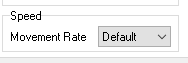
| ID | Name | Appearance.2da MOVERATE name | Walk Rate | Run Rate | Notes |
|---|---|---|---|---|---|
| 0 | PC Movement | PLAYER | 2.00 | 4.00 | Applied if the object is a creature and "Normal" move speed is applied in the appearance. Not available in toolset. Notably it's easier to change "Normal" to be equivalent to this rate if creatures are falling behind (which they will be!). PCs who obtain associates (Henchmen, Summons, Animal Companions and Familiars) have their speed set to this if it is Normal or lower, and doesn't seem to revert back if removed as a henchman either. |
| 1 | Immobile | NOMOVE | 0.00 | 0.00 | Causes the creature to always be flat footed so be aware of this if using this for some kind of "Immobile boss" Also hardcoded to stop leg movement - so if applied to a PC (usually using NWNX) it will stop WASD movement from occurring (and even being sent to the server to process) |
| 2 | Very Slow | VSLOW | 0.75 | 1.50 | |
| 3 | Slow | SLOW | 1.25 | 2.50 | |
| 4 | Normal | NORM | 1.75 | 3.50 | Since this is still slower than a PC, it is recommended it match the PLAYER speed if the monsters (or henchmen) seem slow. |
| 5 | Fast | FAST | 2.25 | 4.50 | |
| 6 | Very Fast | VFAST | 2.75 | 5.50 | |
| 7 | Default | DEFAULT | Special | Special | appearance.2da - loads MOVERATE which relates to the 2DAName field in creaturespeed.2da (most are "NORM", eg player races) |
| 8 | DM Fast | DFAST | 5.50 | 11.00 | Applied to DM player characters on login |
SetAppearance
Setting a creatures appearance defaults it back to the entry used in appearance.2da. This means you can't have a nice shape changing super fast monster (unless what they polymorph to is the same appearance.2da speed).
This is probably the same with EffectPolymorph but needs testing, the original speed may be returned on cancelling at least.
Maximum Speed
You can try and get the numbers up to around 28 or so before it goes bonkers and the game starts really bugging out. It's not a great idea to have anything really use this speed however.
Run or Walk?
Usually you can run - this is the fastest speed. Walking is half the speed of running so the game takes this into account for certain effects. You will walk in these cases:
- EffectSlow (with no haste to cancel it out)
- EffectForceWalk
- You will be slowed to walking with one of these. Each past the first will apply a 50% decrease (eg 50%, 25% 12.5% final speed with no other modifiers)
- Encumbrance (if heavily encumbered this is double the penalty)
- Stealth Mode
- Search Mode
Note in 1.87.8193.35 you can alter what level each one applies, so you could stealth while still running if you altered ruleset.2da
You won't walk automatically with significant EffectMovementSpeedDecrease amounts so it does sometimes look a little odd!
Movement Speed Calculations and Caps
Currently based off 1.87.8193.35:
There is a two step process for calculating the final movement speed:
- Firstly the total movement rate factor is calculated, vis-a-vis:
- EffectMovementSpeedIncrease/Decrease (which EffectHaste also applies) is calculated. These are multiplied together. EG: +10% and +15% effects equals a total of +26.5% (1.265).
- This is capped between MOVEMENT_SPEED_PENALTY_CAP (0.125) and MOVEMENT_SPEED_BONUS_DEFAULT_CAP (1.5) or MOVEMENT_SPEED_BONUS_MONK_CAP (3.0) (has 1 or more Monk levels)
- Then you add on BARBARIAN_ENDURANCE_BONUS - default 0.1 - if they have FEAT_BARBARIAN_ENDURANCE. This is to emulate the Barbarians +10 feet per round movement speed increase. So it can be interpreted as a flat increase.
- Then you add on Monk bonuses, at 0.1 per 3 Monk levels. This requires FEAT_MONK_ENDURANCE and Monk abilities to be usable. This emulates the Monks D&D Tabletop ability to move 5 extra feet per every 3 levels. So it can be interpreted as a flat increase.
- Finally this value is capped between MOVEMENT_SPEED_PENALTY_CAP (0.125) and MOVEMENT_SPEED_BONUS_DEFAULT_CAP (1.5) or MOVEMENT_SPEED_BONUS_MONK_CAP (3.0) (has 1 or more Monk levels)
- Take the run or walk rate and multiply it by the given final movement rate factor
Example: Barbarian 10 with EffectMovementSpeedIncrease(200):
- Movement rate factor is base of 1.5 (since the cap of 1.5 applies)
- Barbarian add on 0.1 for 1.6
- Cap at 1.5, so we can't go over so stuck on 1.5
Example: Barbarian 10 / Monk 6 with EffectMovementSpeedIncrease(200):
- Movement rate factor is base of 2.0 (cap of 3.0)
- Barbarian add on 0.1 for 2.1
- Monk add on 0.2 for 2.3
- Cap at 3.0, so 2.3 is valid
Example: Monk 30 with EffectMovementSpeedDecrease(1000) is a rarely seen case but a little buggy:
- Movement rate factor is base of 0.125 (cap of 0.125)
- Monk add on 1.0 for 1.125
- Cap at 3.0, so 1.125 is valid and is actually an increase in base speed!