-
Created by
 Jasperre, last updated by Txpple on Jul 19, 2023
3 minute read
Jasperre, last updated by Txpple on Jul 19, 2023
3 minute read
Doors are special kinds of placeable objects that have additional properties, such as in built area transitions, and are usually tied to a tile with a door on it (although...there are ways to get them elsewhere even in the base toolset).
Limitations of Spawning Doors
In NWN:EE you can spawn doors by SqlGetObject or more usefully JsonToObject in the base game of NWN. NWNX can spawn blueprints directly too.
Open and Closed
Doors can be opened usually in two directions, but some doors only open one direction such as those in larger doorways. You can see what directions a door supports by using the toolset and right clicking a door and choosing the Initial State options.
Note a player controls the direction of how it opens, ie; there are no hinges you can change to make it only open in one direction, however much sense that may make (since doors stay somewhat "solid" even when opened this I guess is to make it easier to traverse doorways, also is why they're likely so gosh darn big!).
Direction of Doors
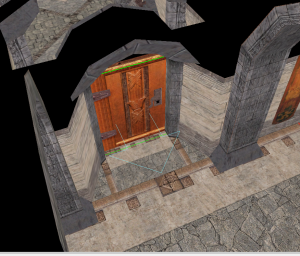
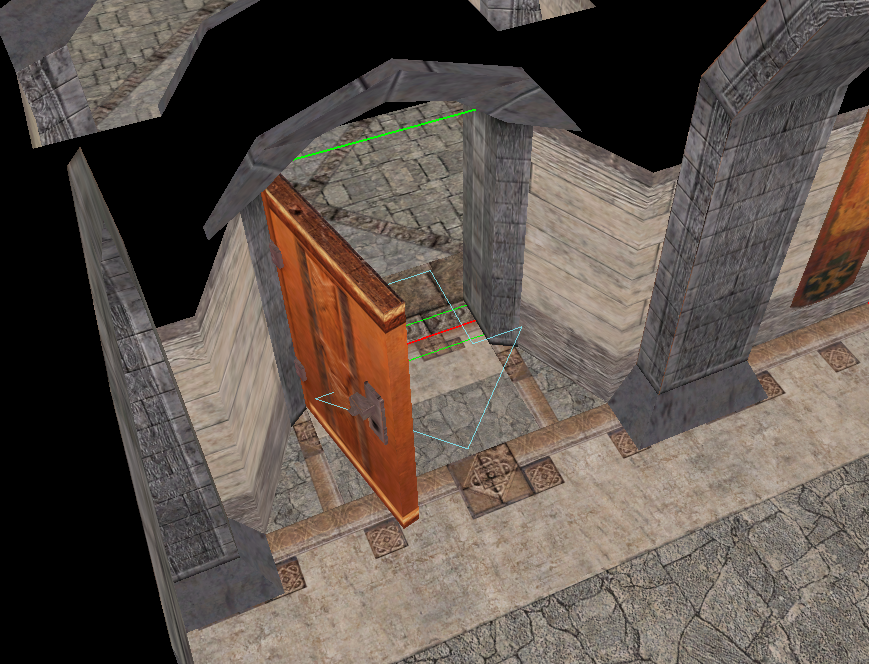
The direction of a door (shown in the toolset by an arrow) is used by the game if the transition target is the door. It also determines the "Opened Forwards" and "Opened Backwards" directions.
For instance in the example below a player would appear on our side of this doorway, around where the arrow is laid, if it is used as a transition target for some reason. You can also see the Opened Forwards option chosen goes in this direction.
Doors and Locks
Doors have, like placeables, the ability to be locked. There are several states a door can be in and some of it is engine hardcoded around the use of keys.
Keys
Keys can be both optional or mandatory. If optional they provide a way to open a door which doesn't require the Open Lock skill.
You can put the Open Lock DC as well which the PC will see if they try unlocking it.
Doors that have the "Key required to unlock or lock" unlocks special properties; if the person tries to unlock the door they get the hardcoded feedback message "A specific key is required to open that object." (dialog.tlk line 7944). If the key is present (checked by tag) then the "You used a key." line is used.
If you use a tag that can never be obtained on an object then you can specify further feedback in the OnFailToOpen event (but not override the default TLK strings unless you blank them out game wide).
Custom Content: Door Transparency
Doors fade when you are considered to stand on the "wrong" side of them. They are faded by lowering the alpha, so it is possible to get rid of this behavior by setting the alpha of all visible meshes a door consists of to 100 instead of 1.