-
Created by
 Jasperre, last updated on May 07, 2024
3 minute read
Jasperre, last updated on May 07, 2024
3 minute read
The Eos Toolset is a Windows and Linux tool created by Cjreek that can manage several areas of custom content run by 2da files in Neverwinter Nights without having to hand edit text files.
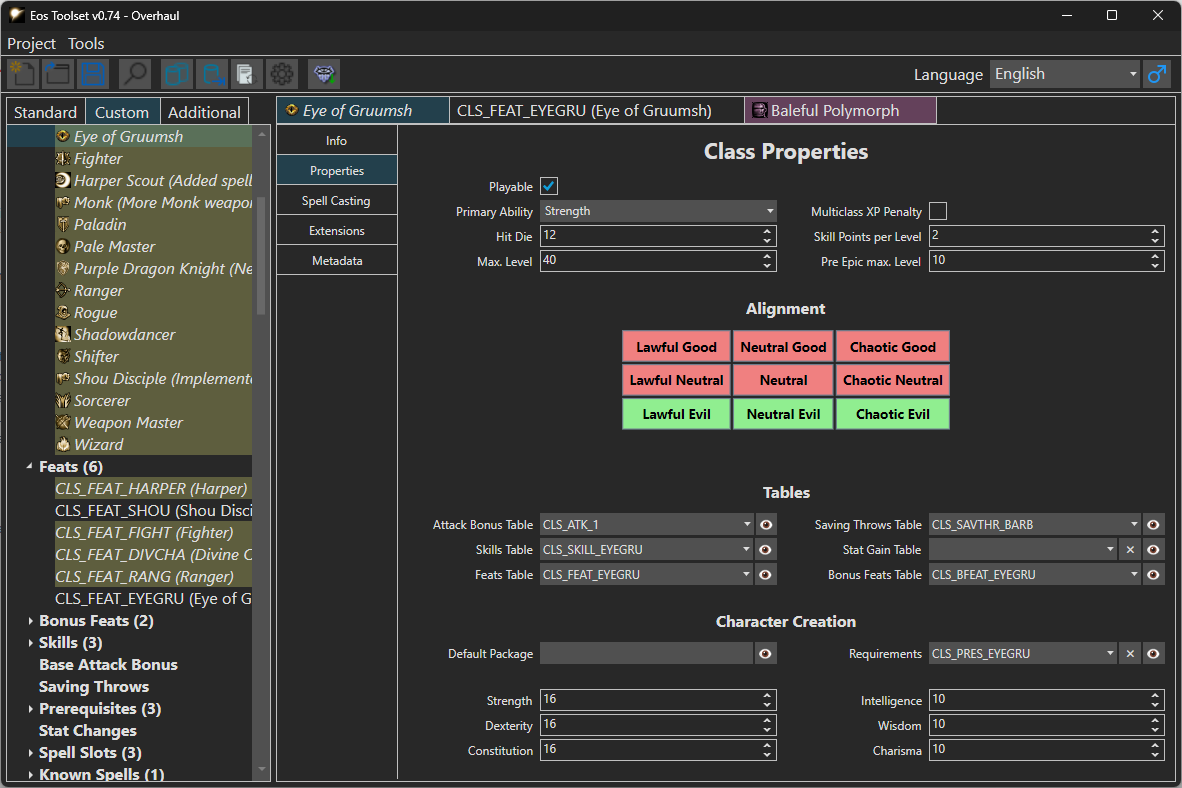
Overview
The toolset can manage these areas of custom content:
- 2da editing - ie editing/adding classes, feats, spells, item types, etc. - while not every 2da is editable the vast majority are. It manages line IDs, references to other content and has clearer field naming then the 2da files.
- You can also override existing base game content with your own changes
- You can offset 2da start lines if you're creating changes you might want to be compatible with existing content
- Dropdowns and filters/search are available - so you add a new spell, you can find that spell when adding it to spellbooks, and feats can be added into class feat lists for instance
- TLK editing - this is built into the editor and it automatically generates TLK lines and appropriately links them
- Soundset editing - this will build the SSF files and link the TLK lines automatically
It also has these benefits:
- Many fields are locked to sane values (although note you can still create invalid content so check 2da Files for additional information as to how specific content is added)
- Search functionality to quickly find things
- Hint field for easier identification of items (eg: "Bard Song" could be hinted as "Level 20" to find that specific one).
- Import Hak/2da options for existing custom content you've done (then moving forwards you use Eos to edit)
- Icons can be loaded from a directory meaning you can see/add new icons you've created
- Cut content lines can be reintroduced into the game
- Overriden content retains the existing TLK lines until edited making it more efficient
- There are localisation options (although NWN only supports one exported TLK file)
- Saving is to JSON files which is more suitable for source control
- If you're not using source control the "Create Backup" option can be helpful
- Exporting is to raw files (and 2da files can be compressed to save space), and also can be to a hakpack and TLK file for instantly transforming your modules, and a script constants file can also be generated
Setup and Usage
The tool is standalone, you can download and extract it somewhere suitable and then open it.
It will attempt to locate and get the base game data - this may need to be also done when NWN:EE is patched if data changes occur. This populates the "Standard" data and gets the icons from the game files.
Then go to create a new project:
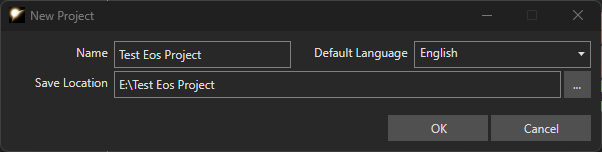
The save location will have the JSON files and the settings of the project, and optionally will be where the hakpack/tlk file/2da files that are exported go. It is highly recommended to use some kind of source control to save changes so you can backtrack from things if necessary.
Once setup you can change the Settings of your project. This might be good to do early on.
- Setting Up a New Eos Project and Exporting to your Module
Then you can start editing by doing one of these methods:
- Adding New Content with Eos Toolset
- Overriding Existing Standard Content with Eos Toolset
- Duplicating Existing Content with Eos Toolset
Finally there will be some tutorials written up on some of the key more complicated aspects:
- Creating a New Spell with Eos Toolset
- Creating a New Feat (and optionally feat-spell) with Eos Toolset
- Creating a New Class with Eos Toolset
Other basic content such as Polymorphs, Domains, Visual Effects, Area of Effects, Base Items, Item Properties etc. are usually more standalone and reference 2da Files information is probably best there.