| Table of Contents |
|---|
Tracy is a builtin profiler inside the game. This profiler allows you to answer performance and profiling questions on both clients and servers; like:
...
The UI has a few major components:
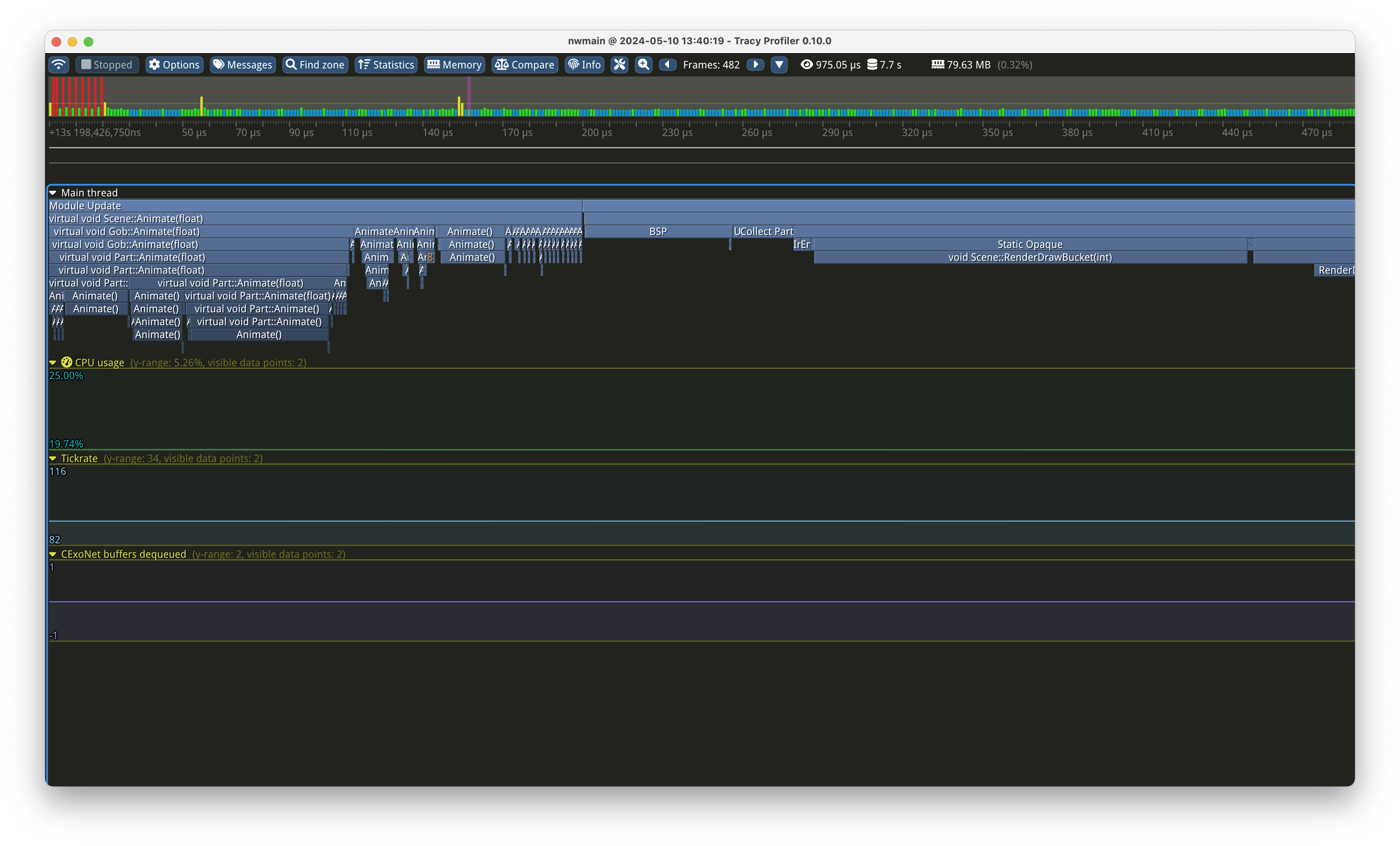
The timegraph
.. is the big per-frame display in the middle of the screen. It is best navigated with the WASD keys to scroll and mouse wheel to zoom. It is grouped for each frame that has happened during your capture; and each frame is split up in a tree-like hierarchy into all the tracepoints that have been hit.
...
You can even zoom into individual zones to see exactly what is being spent time on:
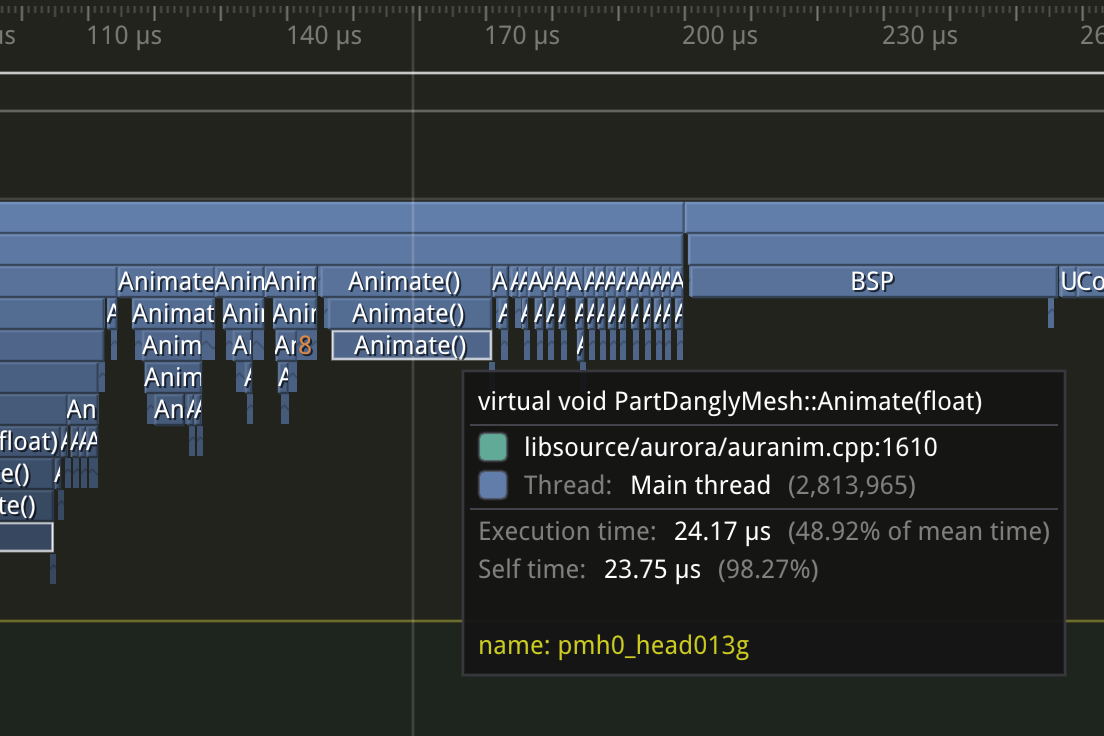
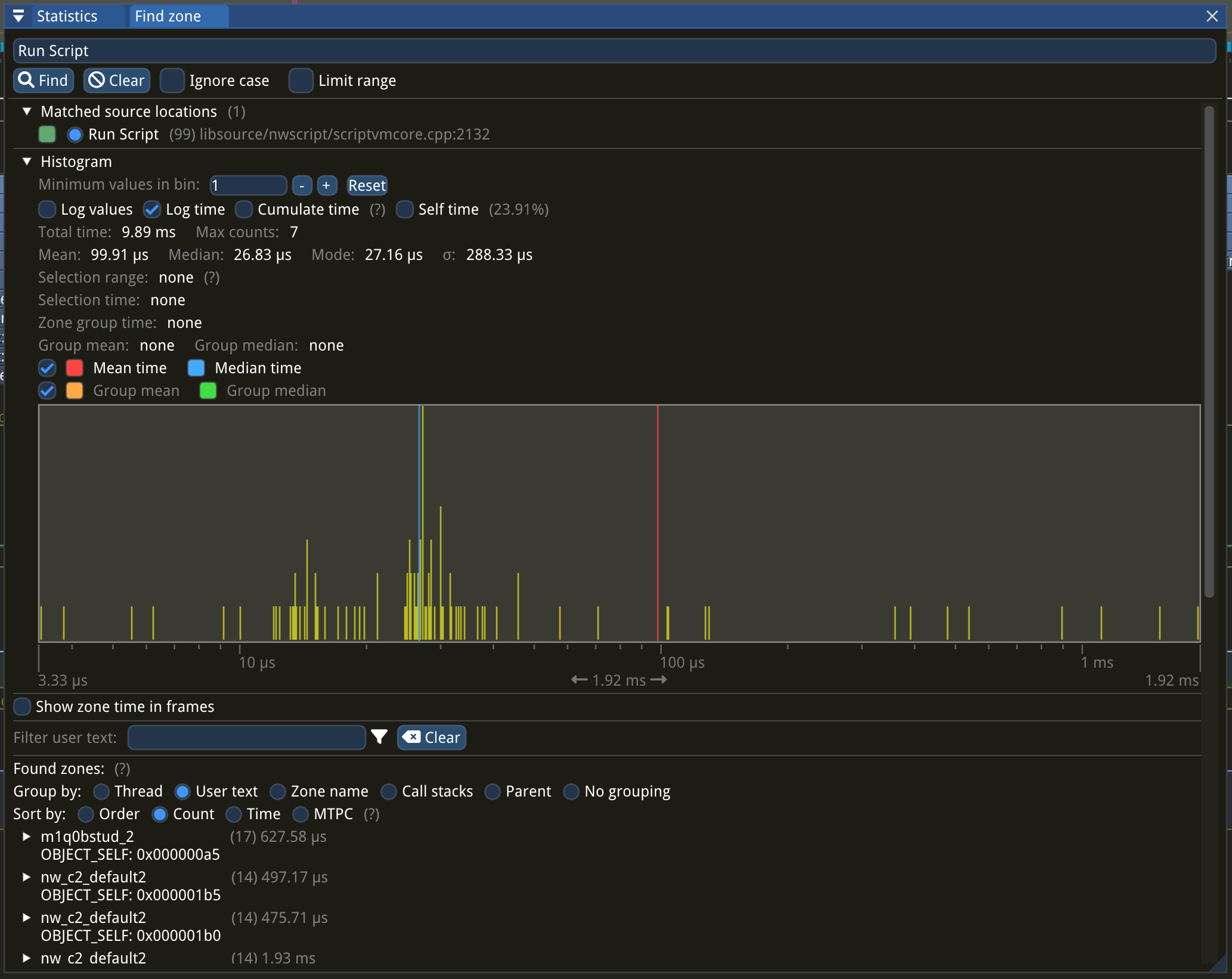
Clicking individual zones (e.g. a box in the timegraph) brings up the statistics for that zone. You can see all invocations of it, and optionally group it by various factors such as user text.
...
At the bottom of the Statistics panel, for each zone, you can group by User text. This is text provided by the game engine and usually contains the object or file the zone event is related to.
Memory
Memory and allocator statistics are not yet implemented.
...