...
See also the Conversations page for some more advanced information.
| Table of Contents |
|---|
...
| Item | Default Text Colour | Description |
|---|---|---|
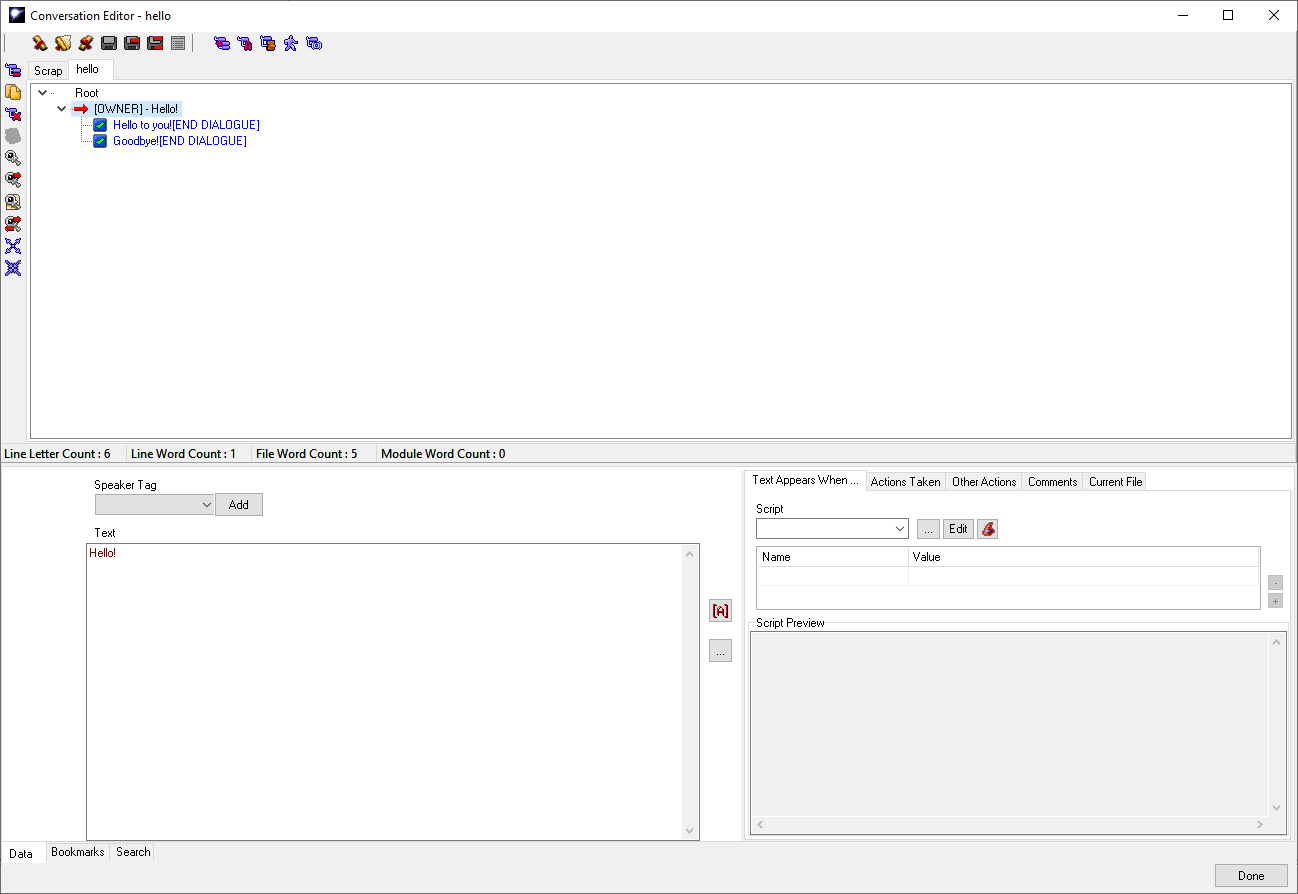
| Root | Black | This is where the game will start when it loads the conversation but you can't link to this node. |
| NPC Nodes | Red Text | The NPC nodes always start with square brackets containing who is speaking, defaulting to [OWNER]. If the Speaker Tag is set it will be the tag of the creature (attempting to) speak. See below for more on speaker tags. |
| Player Nodes | Blue Text | The player nodes are blue and are in order of appearance in the games conversation box. |
| Link Nodes | Grey Text | Both NPC and PC nodes can be linked to, and are in grey. You select a node and copy it, then "Paste As Link" when right clicking a parent node it can go under, this means you can loop back to earlier parts of the conversation or link to phrases without having to repeatedly type them out (eg; "Goodbye fair maiden!"). |
| Nodes which have only a single option below them (all [END DIALOGUE] nodes will be this | |
| Nodes which have multiple options underneath them, for either PCs to choose or that NPCs will be show one of that are limited by conditional scripts. |


...