...
To get a version with a black alpha layer export with no background colours and set the background colour in the selector to black. https://www.gimp-forum.net/Thread-Change-transparent-color-to-white
Spell Scrolls
...
Making Icons Transparent
Some notes above - magic wand and so forth. This is also a potentially useful method from here:
- Opened file with GIMP, Zoomed at it to see pixels better, Right-Clicked on Image, chose Layer, chose Transparency, Added Alpha Channel.
- Then pressed Shift+O to choose pixels by color, clicked on darkest pixel I could find, and Deleted the dark area that cropped up. Selected by color another dark color pixel: if you think it'll still be too dark, remove the area again via Delete (and so on until you think they are transparent enough); if you want it to have a darker aura on the background, then stop at that.
- Either way, chose the darkest pixels that you do not want to remove, then proceed to Filter, Blur, Gaussian Blur and see how blurry you'd like it to be (I opted to have both numbers by 2.00).
- Save and use.
Spell Scrolls
This is based off only having a purple spell icon. For a new icon I'd expect there to be a suitably white source file used to generate it and the spell icon so they're identical.
| Icon | Step Actions | Notes |
|---|---|---|
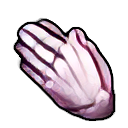
| Start with normal icon (transparent of course since we have them already like this) | |
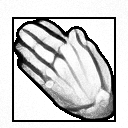
| Convert the purple icon to white, with Color → Desaturate → Colour to Grey | |
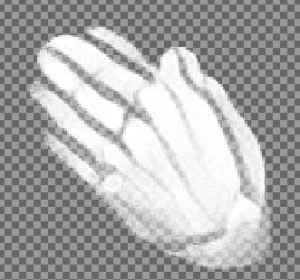
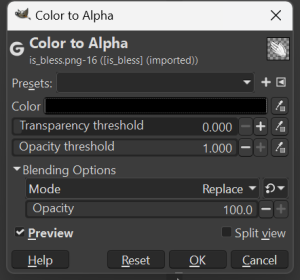
| Make all the black/grey left over into alpha with Color → Color to Alpha selecting the Color as pure black.
| |
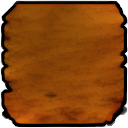
| Get the blank scroll background. | This was upscaled previously/separately: iit_scroll_001.png This scroll icon is slightly different tone to the actual spell scroll icons so need to remedy this (Also there is an erroneous upscaling error in the bottom right). |
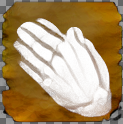
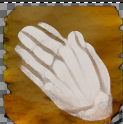
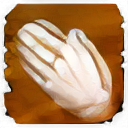
| Add the now white image to it. Note to make it fit better lowering the opacity of the layer with the scroll icon on it might be a good idea. At 60% it looks a bit better and more in line with the Bioware icons. Might need to tweak to look semi-similar. | As a comparison here is the upscaled Bless spell scroll. Note the slightly different texture - evidently some tweaking may be needed for better results.
|