-
Created by
 Jasperre, last updated on Feb 27, 2022
10 minute read
Jasperre, last updated on Feb 27, 2022
10 minute read
This section specifically means portraits in portraits.2da that are not tied to a particular creature appearance. Those are usually found with the creature themselves.
The base game ones will get a 4x upscale (or reuse the _H one as a lower sized one) and any new (generic, non-specific-creature-appearance) ones will be listed here.
portraits.txi
This file must be included and be blanked so that the mipmaps of DDS files on portraits doesn't ruin the quality at high resolutions and high scaling values (eg; x3 or x4). It otherwise takes some weird cross section of the file when resizing it or viewing them at distance.
Methodology
This is from the 4x project.
Crunch Options
All portraits won't have alpha so forcing -DTX1 on nwn_crunch is the key to lower file sizes.
New Approach
After some testing of the below (renaming some files, copying others) it is actually beneficial instead to use the mipmaps of the 4x option.
Edited - this is the new approach, just use crunch to generate all the sizes with the rescale option.
Creatures
We just rescale H down to the other sizes as above.
| Portrait Size | Use | Original Size | TGA Size | 4x Size | 4x DDS Size | Notes |
|---|---|---|---|---|---|---|
| Huge (h) | Chargen only really | 256x512 | 385KB | 1024x2048 | 1.33MB | |
| Large (l) | Character sheet | 128x256 | 97KB | 512x1024 | 341 KB | Sizeable increase in quality |
| Medium (m) | Top left portrait | 64x128 | 25KB | 256x512 | 85.4 KB | 4x the original size so should be good (and not too large) |
| Small (s) | Sidebar portrait, conversations | 32x64 | 7KB | 128x256 | 21.4 KB | 4x the original size so should be good (and not too large) |
| Tiny (t) | Tab "see names" portrait | 16x32 | 2KB | 64x128 | 5.47 KB | 4x the original size so should be good (and not too large) |
For placeables since they lack H and L (mostly! there are 1 or 2 that have them, perhaps since the portraits are reused on creatures for some reason).
| Portrait Size | Original Size | 4x Size | 4x Size | 4x DDS Size | Option to do |
|---|---|---|---|---|---|
| Medium (m) | 64x128 canvas; upper 64x100 used | 256x512 | 25KB | 85.4 KB | M upscaled |
| Small (s) | 32x64 canvas; upper 32x50 used | 128x256 | 7KB | 21.4 KB | M upscaled and rescaled |
| Tiny (t) | 16x32 canvas, upper 16x25 used | 64x128 | 2KB | 5.47 KB | M upscaled and rescaled |
Oddities for the different options below:
- po_plc_rainbw_h - Placeable but has h and l versions
- po_plc_bbl_sm_m - This one has ONLY the medium one for some reason
- po_msc_ - several placeable ones not marked "po_plc_" for some reason
- po_levelup - only file, used in the top right for levelup (Equivalent I think to "m")
- po_gi_x0horse_m - I think a placeable one, has only m/s/t
- po_door01_m - placeable or door but not named po_plc_ so has only m/s/t
- po_pause - solo file like levelup that has just the "m" sized variant
- po_timestop - solo file like levelup that just has the "m" sized variant
- po_unknownpc - Not sure if used...?
- There's also a few default portrait files not prefixed po_ likely used in some cases
Can remove:
- po_plc_x0_syt_s and po_plc_x0_tyt_t are the same item, no "m" version, and thus misnamed or the only ones. Neither appear in portraits.2da (syt/tyt). Looks to be a destroyed version of po_plc_x0_myt_m.
- Unused due to odd names not sure why they're even there:
- po_pwc_mage_001_
- po_pwc_post_001_
- po_pwc_rubl_001_
- po_pwc_rubl_002_
- po_pwc_rubl_003_
- po_pwc_sand_001_, po_pwc_sand_002_, po_pwc_sand_003_ and po_pwc_sand_004_
- po_pwc_sieg_001_, po_pwc_sieg_002_, po_pwc_sieg_003
- po_pwc_skull_01__
- po_pwc_tabl_001_, po_pwc_tabl_002_
- po_pwc_torc_001_
Unused Game Portraits
These are complete portraits unused in the portraits.2da file and can either be left out of the project or be included as new lines.
| Filename | Picture | Action | Notes |
|---|---|---|---|
| po_a_chicken_h | same as po_chicken | Leave out | Same file as po_chicken_h |
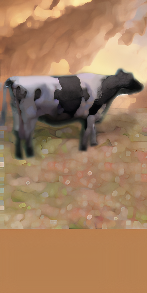
| po_a_cow_h |
| Leave out | Old cow portrait presumably, the proper one is "po_cow_h". No reason to include it, after all, it is small. |
| po_a_deer_h | Same as po_deer_h | Leave out | Same file as po_deer_h |
| po_a_ox_h | Same as po_ox_h | Leave out | |
| po_azer_h.png |
Similar to po_azerman_h | Leave out | This seems to be a less edited version and not in portraits.2da |
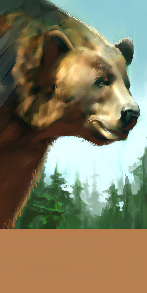
| po_bear_kodi_h |
| Maybe add | Kodiak Bear Wasn't ever used oddly. This might be useful to actually make the Grizzly Bear (which is internally nw_bearkodiak, or Bear_Kodiak / c_bearkodi) so not sure why it wasn't used for this. Looks as good as the other bear portraits. |
| po_bear_h | Same as po_bearbrwn_h | Leave out | |
| po_bugbear_h | Same as po_bugbeara_h | Leave out | |
| po_bugbearb2_h | Same as po_bugbearb_h | Leave out | |
| po_bugchiefa2_h | Same as po_bugchiefa_h | Leave out | |
| po_bugchiefb2_h | Same as po_bugchiefb_h | Leave out | |
| po_cat_kren_h | Same as po_krenshar_h | Leave out | |
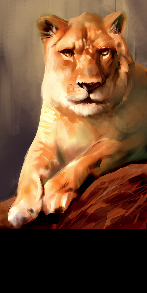
| po_cat_lion_h |
Similar to po_lion_h | Leave out | This one is a little clearer in places, a little less in others, compared to po_lion_h but basically leave out since it's just too damn similar. |
| po_cragcat_h | Same as po_cat_h | Leave out | |
| po_direliz_h | Same as po_fenhound_h | Leave out | "Dire Liz" or Dire Lizard? Dunno. Fen hound is in the game though. Possibly planned summon/companion/familiar. |
| po_dmsucubus_b_h | Same as po_dmsucubus_h | Leave out | Duplicate, possibly for what was a potential "B" model variant. |
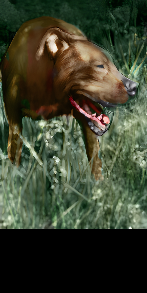
| po_dog_02_h |
| Leave out | Presumably just an unused dog. The main portrait is po_dog_h which could be considered more accurate. |
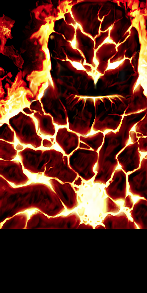
| po_fire_01_h |
| Leave out | Presumably the original Fire Elemental portrait. |
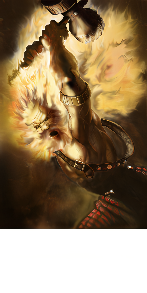
| po_flesh_h |
| Maybe add | This one is a very different "Flesh Golem" portrait; no yellow here! It actually looks - apart from the metal on the head - slightly more accurate to the original model. The Flesh Golem has some unused textures as well (c_fleshgolem1.tga - same as c_golfresh.tga, and c_fleshgolem2.tga which is unique) which might hint at the model being reworked or simplified? |
| po_frostgiant_h | Same as po_gntfrost_h | Leave out | Same as po_gntfrost_h |
| po_giantliz_h | same as po_dog_h | Leave out | Perhaps a placeholder for "Giant Lizard" alongside the Dire Lizard reference above. |
| po_headal_h |
Similar to po_headraline_h | Leave out | A early unfinished version of her portrait - see the ears - left in since the game release. |
| po_lizard_h | Same as po_direwolf_h | Leave out | Placeaholder as per the other "Liz" ones, presumably Lizard of some kind. |
| po_mummy_h | Same as po_mum_pre01_h | Leave out | |
| po_nobod01_h | Same as human unknown | Leave out | Seems to be unused when testing |
| po_nobod02_h | Same as human unknown | Leave out | Seems to be unused when testing |
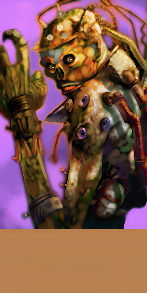
| po_oldmage_h |
Similar to po_oldwiza_h | Maybe add | Quite a colourful recolour of the 2 variants that ended up in the game. Overhaul of the OC could reuse this. |
| po_oldwar_h | Same as po_oldwara_h | Leave out | Same (except a bit of stretching) as po_oldwar_h |
| po_orchiefa_h | Same as po_orcchiefa_h | Leave out | Spelling mistake (missing "c" in "chief") |
| po_penguin_h | Same as po_a_penguin_h | Leave out | Same as po_a_penguin_h |
| po_shockliz_h | Same as po_hellhound_h | Leave out | "Shock Lizard"? |
| po_slaasred_h | Same as po_slaadred_h | Leave out | |
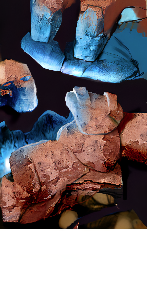
| po_stonegolem_h |
| Leave out | Very different from the final design of the stone golem (po_golstone_h), presumably an early one where they had a proper face and hands. |
| po_syren_h | Same as po_nymph_h | Leave out | Notably the "Syren" (or Sirine, see 2E artwork: https://forgottenrealms.fandom.com/wiki/Sirine ) creature type would look more like this compared to the in-game Nymph which has pink skin |
| po_zo_tyr_h | Same as po_zo_war02_h | Leave out | Possibly was the early "Tyrantfog Zombie" model but got replaced/shuffled |
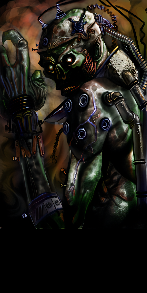
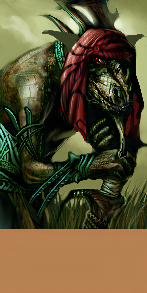
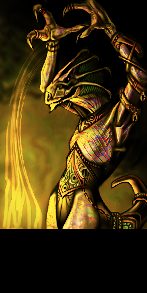
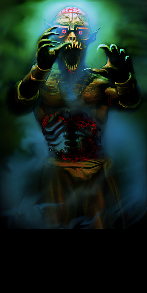
| po_zombie_h |
| Leave out | Might be a interesting one if the zombies actually looked like this, but must have been an early design or cut - note interestingly the elf ears. |
Missing Portraits
The portraits.2da file sometimes has a valid line with no files found. They should be dummied out properly.
| ID | BaseResRef | Sex | Race | InanimateType | Plot | LowGore | Notes |
|---|---|---|---|---|---|---|---|
| 324 | xAribethE_ | 4 | 1 | **** | 0 | **** | Sex value 4 means unselectable at char select. Aribeth actually uses portrait 14/15 |
| 325 | xAribethG_ | 4 | 1 | **** | 0 | **** | Sex value 4 means unselectable at char select. Aribeth actually uses portrait 14/15 |
| 323 | xAarin_ | 4 | 6 | **** | 0 | **** | Sex value 4 means unselectable at char select. Old Aarin Gend reference, uses portrait 31 |
| 327 | xSedos_ | 4 | 6 | **** | 0 | **** | Sex value 4 means unselectable at char select. Old Sedos reference, uses portrait 25 |
| 328 | yBegFem_ | 4 | 6 | **** | 0 | **** | Sex value 4 means unselectable at char select. Old Begger, Female reference. Although I don't think they ever did a female begger... |
| 329 | yBegMale_ | 4 | 6 | **** | 0 | **** | Sex value 4 means unselectable at char select. Old Begger, Male reference, although not sure which supplanted it. |
| 330 | yBldSail_ | 4 | 6 | **** | 0 | **** | Old blood sailor |
| 331 | yComFem_ | 4 | 6 | **** | 0 | **** | Old Female Commoner |
| 332 | yComMale_ | 4 | 6 | **** | 0 | **** | Old Male commoner |
| 333 | yDwarf_ | 4 | 6 | **** | 0 | **** | Old Dwarf (but why under race: 6 - human) |
| 334 | yHalfling_ | 4 | 6 | **** | 0 | **** | Old Hafling (but why under race: 6 - human) |
| 335 | yHalfOrc_ | 4 | 6 | **** | 0 | **** | Old Half-Orc (but why under race: 6 - human) |
| 336 | yHouseGrd_ | 4 | 6 | **** | 0 | **** | Old House Guard |
| 337 | yKnight_ | 4 | 6 | **** | 0 | **** | Old Knight |
| 338 | yKurthTrp_ | 4 | 6 | **** | 0 | **** | Old High Captian Kurth |
| 339 | yLuskTrp_ | 4 | 6 | **** | 0 | **** | Old Luskan |
| 340 | yNeverTrp_ | 4 | 6 | **** | 0 | **** | Old not sure, never something |
| 341 | yNobleFem_ | 4 | 6 | **** | 0 | **** | Old Noble, Female |
| 342 | yNobleMale_ | 4 | 6 | **** | 0 | **** | Old Noble, Male |
| 343 | yPlagVict_ | 4 | 6 | **** | 0 | **** | Old Plague Victim |
| 344 | yPrstFem_ | 4 | 6 | **** | 0 | **** | Old Priest, Female |
| 345 | yPrstMale_ | 4 | 6 | **** | 0 | **** | Old Priest, Male |
| 346 | yRogueFem_ | 4 | 6 | **** | 0 | **** | Old Rogue, Female |
| 347 | yRogueMale_ | 4 | 6 | **** | 0 | **** | Old Rogue, Male |
| 708 | matron | 1 | 1 | **** | 1 | **** | Likely just a duplicate of the real one "matmother" |
| 1269 | godfroy_ | 4 | 4 | **** | 0 | **** | Among the 1.69 additions like "Mist Dragon" or "horse", not sure it was in the game files at all? Race 4 suggests "not to be chosen by PCs" anyway or plot, and the name Godfroy is a NPC companion in Wyvern Crown of Cormyr |
Original Portraits Upscaled
To follow. Need to pick out which ones are appearance.2da related.
New Portraits
To follow.
Naming convention would be: po_op_XXX_t.dds (where T would be the appropriate size ID) if a generic "thing" else follow race conventions for Dwarfs, Elves etc.. XXX can be 9 characters long. This is because of portraits.2da limitations (you are forced to use po_ as a prefix!)
Portraits Based off HD Models
CatPerson Fimbul K has done a portrait based off the HD models (with an added hat):
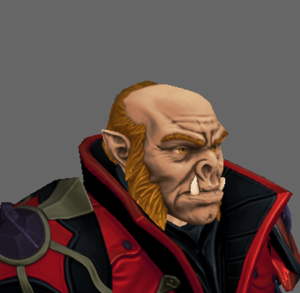
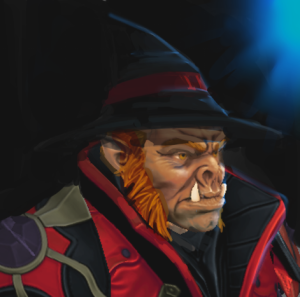
This looks pretty good, need to see about trying this out with some techniques. To look similar to Bioware's;
- Background colours + stuff going on, borders around the model perhaps
- Lighting: Sort an in-game studio with a rough greenscreen
- Painting technique; ask CatPerson for some help here