-
Created by
 Jasperre on Apr 02, 2022
2 minute read
Jasperre on Apr 02, 2022
2 minute read
To get a ASCII decompiled model from a compiled model (useful for many reasons) first download Cleanomodels EE: https://neverwintervault.org/project/nwnee/other/tool/clean-modelsee
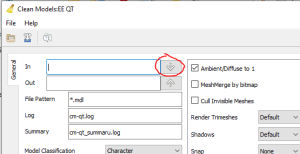
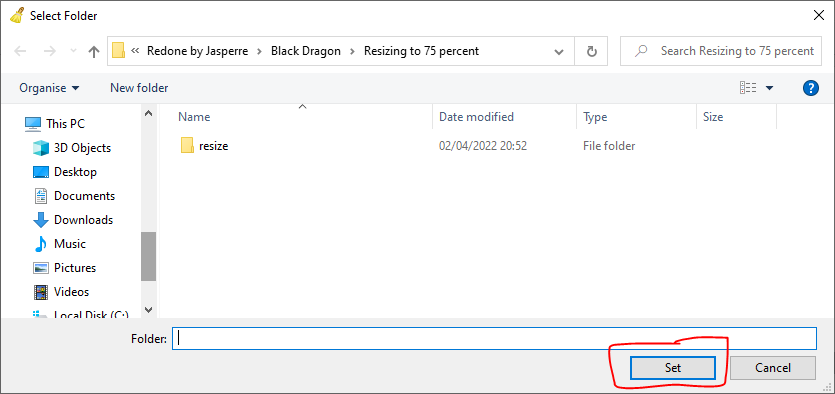
Once downloaded, extract the zip and open the Cleanmodels EE GUI (cleanmodels-qt.exe on Windows) and using the top left "In" down arrow, find the folder with your model in (and should be only that model), and select it as the input folder:
Note the model has been found in the bottom, with the right file size:
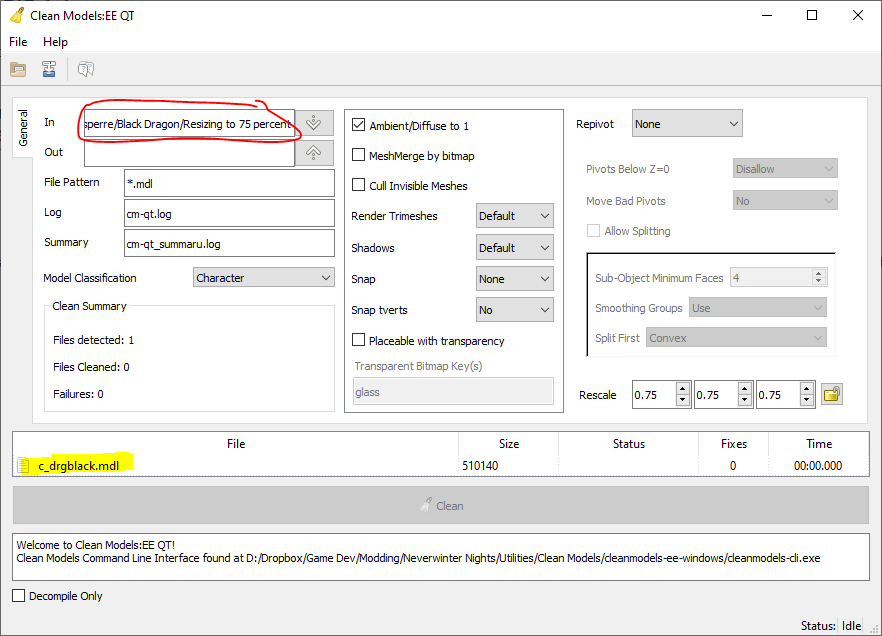
Now select the output folder - recommended in case something goes wrong to be different from the source folder (Cleanmodels may write an empty file overriding your nice binary MDL!).
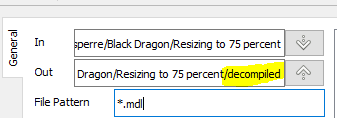
For instance we add on the destination "decompiled" to our original folder. Note the forward slash since the application is mostly-kinda Linuxy:
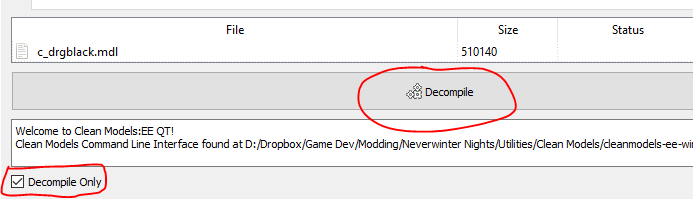
Now tick the "Decompile Only" tickbox in the bottom right and hit Decompile:
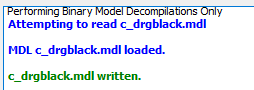
The log will show progress (if more than one model is present it will do all of them):
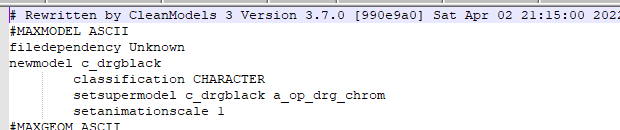
You can check this worked by seeing the resulting folder and opening the file in Notepad++ or similar:

You can run decompiling on a already ASCII model, but it mainly adds whitespace and possibly adding a few otherwise missing fields and renaming things like "null" to "NULL".