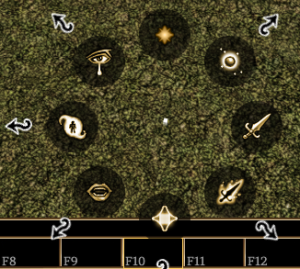
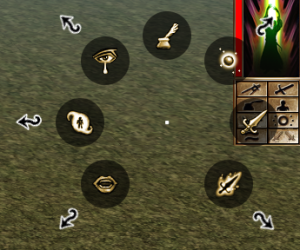
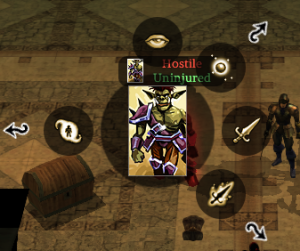
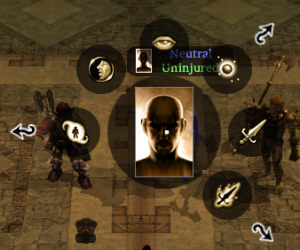
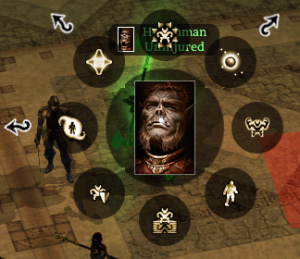
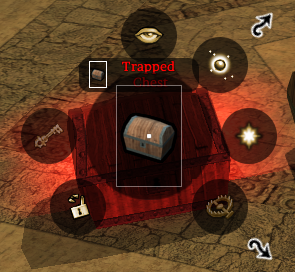
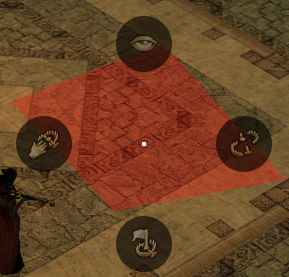
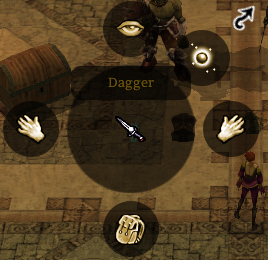
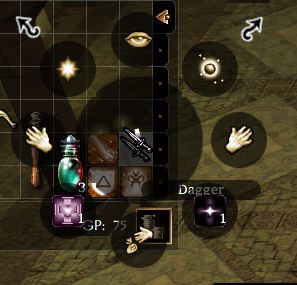
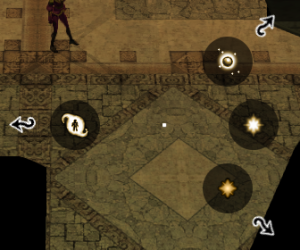
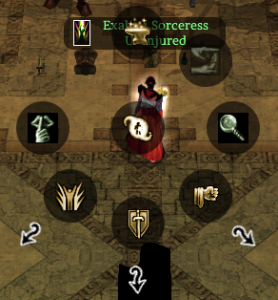
The NWN Radial is context sensitive and generated whenever you right click something; it will generally display some appropriate options.
For modders you need to be aware of how active feats are added to the menu (or not as the case may be)
- Existing Hardcoded stuff - eg: Knockdown
- Class Feats
- "Racial" or "General" feats (but they're not really, they're really class feats
 )
) - Epic Spells
Spells are automatically added on each classes spellbook. Several aspects of the radial are hardcoded - eg; the Crafting menu, and DM radial.
Player Top Level Radial
| Context | Picture | Radial Options (clockwise from 12 o'clock) | Notes |
|---|
| Right Click Quickbar Slot | | - Custom Text Macro
- Assign Spell (Spell Menu)
- Attack
- Assign Special Attacks
- Assign Other Actions
- Assign Command
- Assign Special Abilities
- Emote
|
|
| Right Click self (or top right portrait) | | - Character Sheet
- Cast Spell
- Attack
- Special Attacks
- (Blank)
- Issue Command
- Special Abilities
- Emote
|
|
| Right Click Hostile Creature | | - Examine
- Cast Spell
- Attack
- Special Attacks
- (Blank)
- (Blank)
- Special Abilities
- Blank
|
|
Right Click Neutral Creature | | - Examine
- Cast Spell
- Attack
- Special Attacks
- (Blank)
- (Blank)
- Special Abilities
- Talk To
|
|
| Right Click Friendly (in party) NPC Creature | | - Heal Me
- Cast Spell
- Attack Nearest
- Follow
- Stand Your Ground
- Guard Me
- Special Abilities
- More Actions
|
|
| Right Click Placeable | | - Examine
- Cast Spell
- Use
- Trap
- (Blank)
- Bash
- Lock/Unlock
- (Blank)
|
|
| Right Click (Detected) Trap | | - Examine
- (Blank)
- Disable Trap
- (Blank)
- Flag Trap
- (Blank)
- Recover Trap
- (Blank)
|
|
Right Click Item on Ground | | - Examine
- Cast Spell
- Equip (or blank if not equippable)
- (Blank)
- Pick up to Inventory
- (Blank)
- Equip offhand (or blank if cannot be put in offhand)
- (Blank)
|
|
| Right Click Item in Inventory | | - Examine
- Cast Spell
- Equip (or blank if not equippable)
- Use : (First Spell)
- Drop
- Use : (Second Spell)
- Equip offhand (or blank if cannot be put in offhand)
- Use (other spells submenu)
|
|
| Right Click ground | | - (Blank)
- Cast Spell
- Move To
- More Actions
- (Blank)
- (Blank)
- Special Abilities
- (Blank)
| "More Actions" is related to surfacemat.2da OnPlayerTileAction stuff |
Cast Spell Menu
Special Attacks Menu
| Context | Picture | Radial Options (clockwise from 12 o'clock) | Notes |
|---|
| Top level Special Attacks Menu | | - Crafting Skills
- Taunt
- Detect Mode
- Class 3 Submenu
- Class 2 Submenu
- Class 1 Submenu
- Stealth Mode
- (Blank)
| Crafting Skills |
Special Abilities Menu