(very bare bones and ugly, please delete and/or reformat when/if something better comes along)
New Race
Download all of the .2da files first:
Or from vault: https://neverwintervault.org/project/nwnee/other/nwn-ee-819313-full-2da-source
Copy appearance.2da and racialtypes.2da to a new folder, name it whatever you want (Drow) in this case.
Copy one of the race_feat 2da files. This is optional, but will allow you to define which feats are automatically given to this new race.
We can copy race_feat_dwarf.2da and rename it to race_feat_drow.2da for example, then open it notepad and delete all the lines except darkvision.
Add what feats you want from feat.2da using their ID. FeatLabel doesn't matter, it's for human readers.
Make a new .tlk file. Edit it with this: https://neverwintervault.org/project/nwn1/other/tool/axe-murderers-killer-tlk-editor
You will need this to define the text for your new race.
| Row | Desc |
|---|---|
| Drow | name of your race |
| Drowish | adjective (eg; orcish blade) |
| drowish | same, but lower case |
| Drows | plural name |
| Drow are blue with red eyes and worship Lolth. | description |
| You set out to better serve Lolth. | adventurer text |
Open racialtypes.2da with notepad. Go to that wiki page to see what each of the columns does. For any row where it says "stringref", put in a number, referring to the text you wrote in your .tlk table.
It starts at 16777217, so "Drow" would be 16777217 , "Drowish" would be 16777218, "drowish" would be 16777219, and Drows would be 16777220, etc. The numbers refer to the strings, hence "stringref".
Set racial feat type column to the name of the feat file you made (RACIAL_FEAT_DROW), and racial type to (RACIAL_TYPE_DROW).
Under appearance column, set it to the number of the appearance entry you are about to make now.
Go to appearance.2da and open it with notepad. Copy paste the Elf line to the bottom, then set the id 871 if the previous entry was 870, etc. Don't forget to chance the appearance value in racialtypes.2da to this number. Name it Drow for name. Done for now. Model should be E (elf), but you can change it to c_ettin or something if you want to experiment and be an ettin. Has to be an actual model that exists in the game though.
Save these 3 files into a folder (appearance.2da, racialtypes.2da, racial_feat_drow.2da), then turn them into a .hak with the nwhak utility in your game installation folder.
Go Documents → Neverwinter Nights. Put the .hak in the hak folder, and the .tlk in the tlk folder.
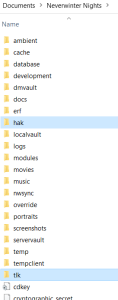
You can now use the race for your projects, but it is somewhat redundant currently and doesn't really do anything except have a different name, stats, and feats, and maybe a different model (ettin if you experimented).
(Make sure on Aurora to go edit → module properties → custom content, and then include the .hak and .tlk in your project for it to work).
This method is all you need to create races that have existing models. Crab race for example, or Tiger race.
Here are some example files for "test race": https://neverwintervault.org/project/nwnee/other/custom-races-sample
Making races with a new dynamic model is much harder.
New Dynamic Model
Step1- Use NWNExplorer to open the NWN files: https://github.com/virusman/nwnexplorer
Create two new folders: race_models & race_textures
Extract the race models from: data/models_02.bif & data/xp2_models.bif into the race_models folder
Extract the race textures from: data/textures_02.bif & data/xp2_textures.bif into the race_textures folder
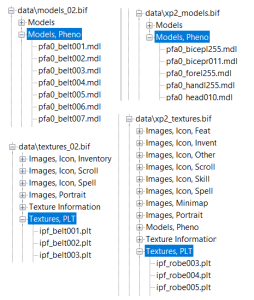
Step2: Separate the models and textures of the race you want. This can be done by using windows search function, so for example to get all orc parts would be to search: p*o0
This is because there is a naming scheme.
pmo0_head = (player)(male)(orc)(phenotype zero)_(head)
pfo0_head = (player)(female)(orc)(phenotype zero)_(head)
pfe_head = (player)(male)(elf)(phenotype zero)_(head)
a) m or f, self-explanatory, means male or female.
b) Phenotype zero means (normal), one means (fat/large), two usually means (horseriding/mounted), seems to vary by race, but you can check by opening a character with that appearance in Aurora and checking under phenotype: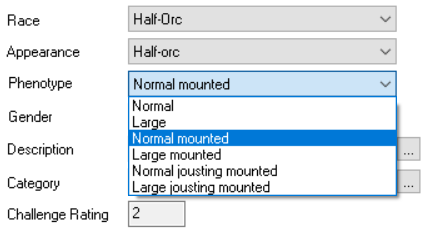
c) I know (o=orc) and (e=elf) because these are the letters specified under the race column here:
| Race | ID |
|---|---|
| Dwarf | D |
| Elf | E |
| Gnome | G |
| Halfling | A |
| Half_Elf | H |
| Half_Orc | O |
| Human | H |
These are the letters for the races. As you can see, Human and Half-Elf both have H, because they use the exact same models.
Creating a new dynamic race requires you to define a new class of files, needing a new letter class, in this case we will choose C (Centaur).
Step2- Download NWNArmory to process the files:
Alternative link: https://neverwintervault.org/project/nwn1/other/tool/nwnarmory-12-source-code
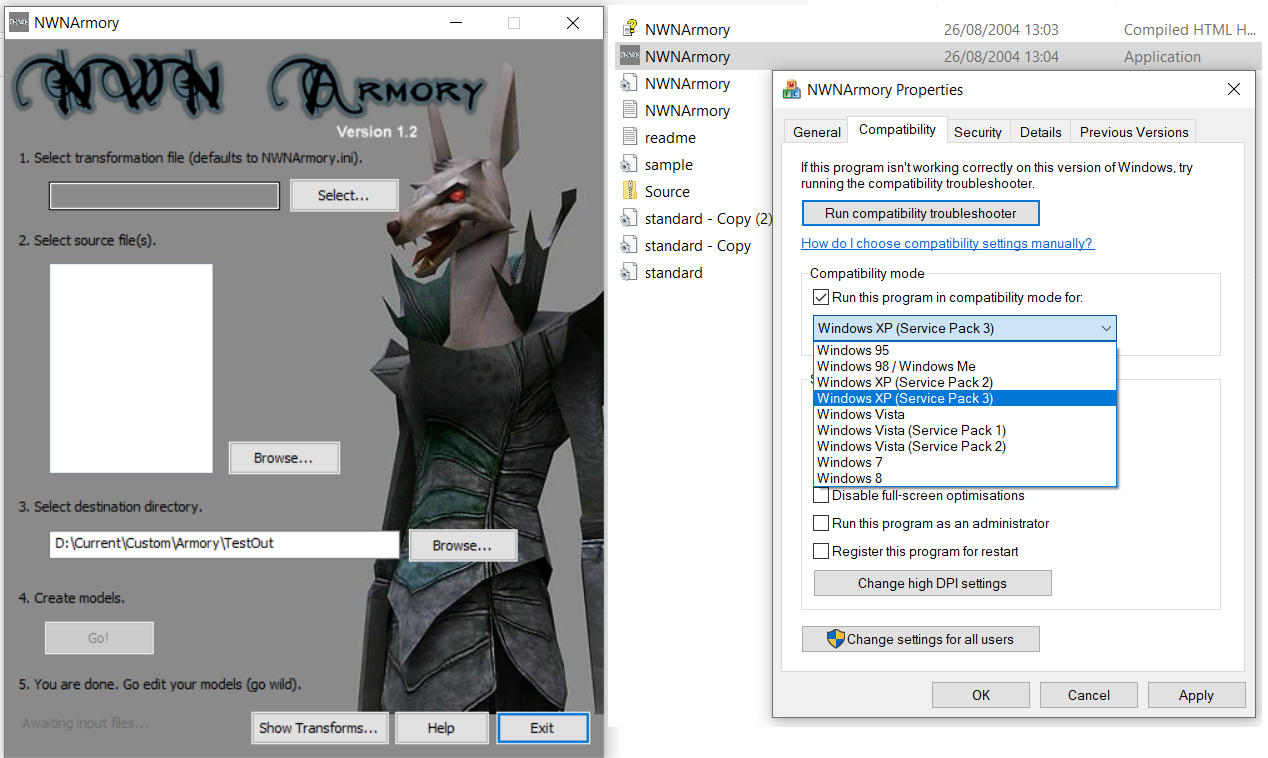
If it crashes on open, right click properties → Compatibility → Windows XP.
Read readme.txt for instructions. Your objective is to mass rename the race letter to the race letter of your choice. So, mass rename "(player)(female)(orc)" to "(player)(female)(trandoshan)" eg; "pfo0" to "pft0"
Do this for all the textures as well, then combine them in one folder.
You can then put these files in a .hak and put them in your project. What changed? Well, nothing. The models still look exactly like the race you copied them from.
You can now for example, delete all the old heads, and put in Trandoshan heads, and the player that selects Trandoshan will only be able to select from Trandoshan heads. Or you could delete the lower half, and put in the lower half of a horse to make a centaur, or of a goat to make a satyr, or a bull to make a Minotaur, the list goes on. This is just the first step.
You can see for example the Satyr created by Bumblebee here: https://neverwintervault.org/project/nwnee/hakpak/original-hakpak/dynamic-satyr
I will complete the second stage (turning the bottom half into a horse/centaur at a later date when I have more free time).
For now the best material is here: https://neverwintervault.org/project/nwn1/other/custom-content-guide-v30
Under race & custom race, though it is a little outdated and some tools may not work. NWNExplorer is preferable to viewer these days, for example.