-
Created by
 Jasperre on Apr 15, 2022
2 minute read
Jasperre on Apr 15, 2022
2 minute read
The use of PLT on items is limited usually to Helmets and Armor. The armor is a complex phenotype based system discussed elsewhere. For other items though the helmet "single model plus PLT" may be usable.
This works well for adding PLT to existing items because the game can still load the default textures for models and icons if using DDS due to the texture hierarchy (DDS > PLT > TGA)
However the Toolset and Game have some weird issues since presumably the Helmets have simply hardcoded behaviour. However it seems you can work around it!
Basics
First, initial setup, we'll be running through this changing an existing item from a Simple (0) ModelType to Layered (1) in baseitems.2da
This means the existing items can be used as per above, see example below.
There are several issues in toolset and in game that need very specific combinations of files to work.
Toolset Issues
Item availability is determined by nothing other than the icon file in TGA - DDS seems to not work, nor does PLT being present. Therefore a TGA file is required for all items to show in the selection menu.
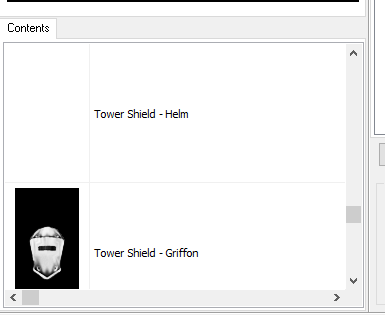
Once that is solved you then realise the PLT texture is used regardless in the GUI, which is annoying, for instance using no PLT icon for the first shield and a helm PLT file as dummy for the second gives this:
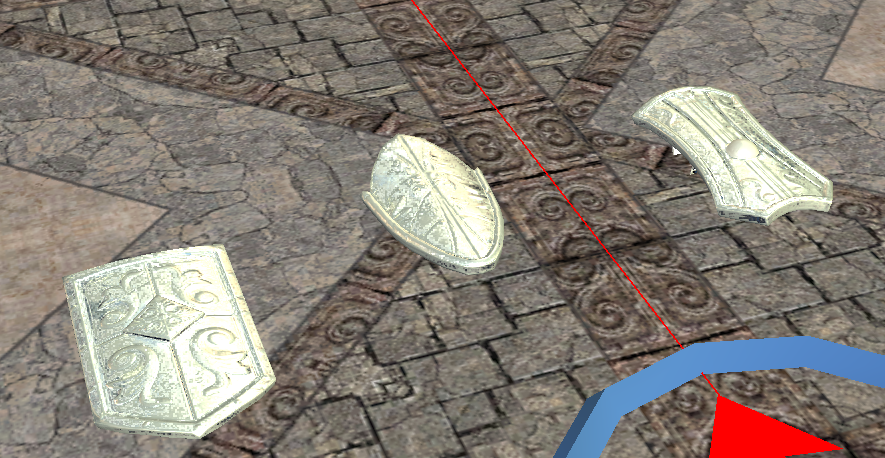
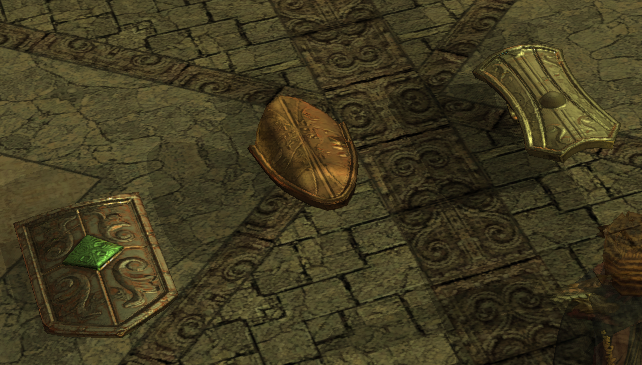
A lesser issue since it doesn't affect building as such; there are also issues displaying the items in the toolset - it seems it gets confused and doesn't display normal or PLT backed items properly. In the screenshot below the left most one has PLT and the other two are standard DDS.
In Game Issues
The main one is the renaming of textures to match PLT loading rules (same as model name, even if the PLT itself is not loaded) for the shield icon and the shield main diffuse texture.