-
Created by
 Jasperre on Mar 16, 2022
2 minute read
Jasperre on Mar 16, 2022
2 minute read
The Toolset Options panel contains the main ways to alter some default behaviours in the toolset.
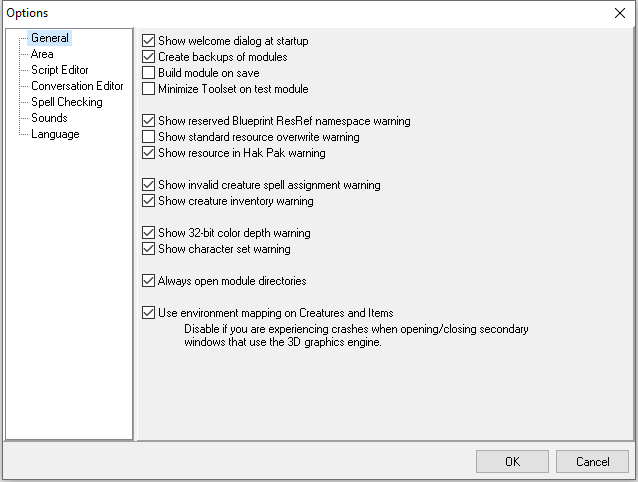
General
General options for the entire toolset.
Area
Area Editor specific options.
Script Editor
Script Editor specific options.
Conversation Editor
Conversation Editor specific options.
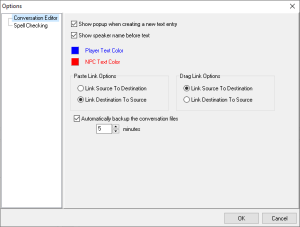
| Conversation Editor | Default | Description |
|---|---|---|
| Show popup when creating a new text entry | On | |
| Show speaker name before text | On | When enabled it adds the square bracket [OWNER] or NPC tag to the NPC nodes. If disabled it removes it which may make it cleaner. |
| Player Text Color | Blue | Is bright blue not your thing? Change the colour here. |
| NPC Text Color | Red | Is bright red not your thing? Change the colour here. |
| Paste Link Options | Link Destination to Source | When you right click a node and do Paste As Link it by defaults links the destination to the source, but it can instead link the source to the destination. |
| Drag Link Options | Link Source to Destination | When you hold Ctrl and left click and drag node this occurs, which makes the source (you dragged) link to the destination (you have dragged to). You can toggle it to be the same as Past Link instead. |
| Automatically Backup the conversation files | On with 5 minutes | This auto saves the dialogue file (filename.dlg) to the module temporary directory. If the toolset crashes you can recover your work from this directory (by default called temp0 in the /module folder) |
Spell Checking
The toolset doesn't seem to be able to load a spell checker file/this functionality is disabled, meaning this section might as well be ignored.
Recommendation: Disable the entire spell checking option! Having tested this actually it's worse than expected; running the spell checker on a text box usually just wipes the text. Well it's sure checked it! It's removed it all! Therefore disabling the entire spell checker in this options menu is recommended.
Sounds
Sound options.
Language
Language options for the the module.