-
Created by
 Jasperre on Mar 02, 2022
4 minute read
Jasperre on Mar 02, 2022
4 minute read
Some workflows and information on texture creation for Overhaul.
Existing Diffuse adding PBRs
The mainstay of content for the Overhaul to begin with will be using upscaled 4x textures with PBR additions.
Starting Tutorial: Using ShaderMap 4 (SM4) to Make Simple PBR Textures
If a creature is quite "dry" and "normal" we can just do a normal map. This adds some shadowing on the model where bumps are in the texture.
Using ShaderMap 4 we just simply add the image we want to create normals from, which will generate a basic normal map - to have it to NWN standards change the green channel to be Y+
(shamelessly from the tutorial above) Select the normal map then click the axis icon in the bottom left panel.
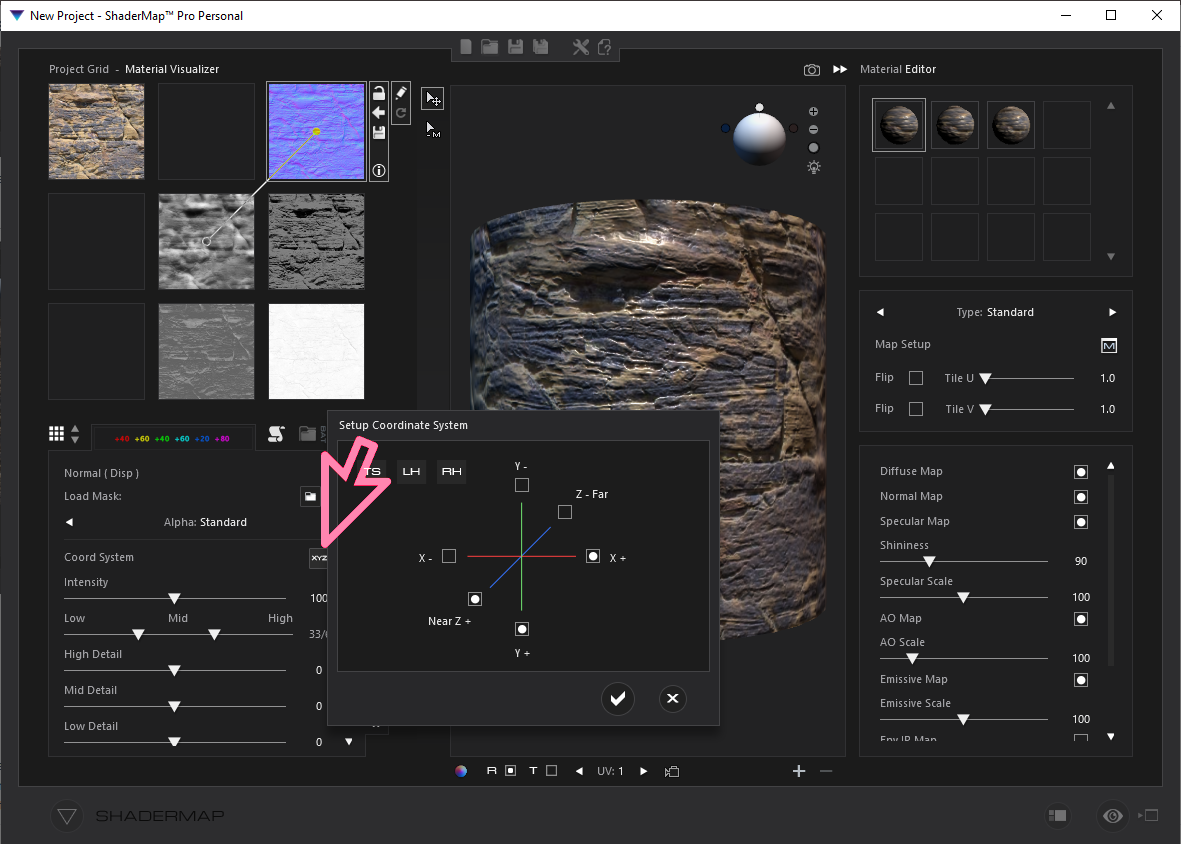
Next, click the box at the top of the green axis.
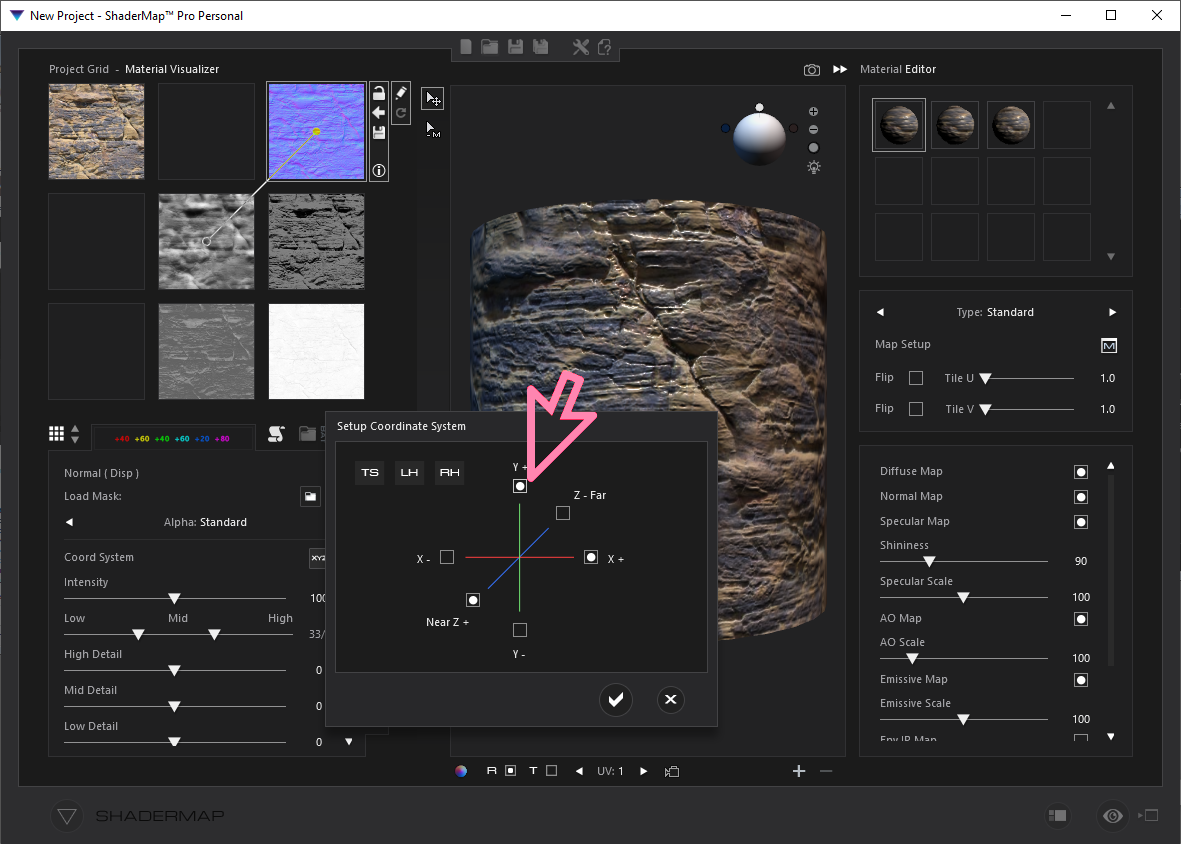
Click the checkbox to accept the changes.
Specular and Roughness
These maps provide a shine to the object.
However it's not as simple as "just export stuff from ShaderMap 4" or any other tool, since:
- You might want the entire model to be "shiny" (or wet) and the specular map isn't quite correct for that
- This might just mean the spec/roughness maps are purely one colour, which simplifies things
- You might want different levels of shiny - ie wet, metallic, reflective and so on
- Environment maps may be needed to add some additional gusto
- The changes to the original diffuse by having a roughness and specular map may mess up the colouring quite a bit
Specular maps:
- This should be "how much it is shiny" - or "Specularity signifies just how much of the incoming light is reflected"
- The values are 0-255 based on the RGB values - so a as the value goes toward 1 (white), this will also result in the material behaving as metallic. IE: White == maximum reflective, Black == not reflective.
Roughness maps:
- Compliment specular maps, in so far as you can be shiny but not metallic which is where roughness comes in
- should by themselves be enough for "shiny/wet" but doesn't seem to be the case on non-flat planes, or difficult diffuses so...have to use a specular too
- It's again a Black-White 0-255 image. You'll want to have greys generally, White == maximum roughness and Black == no roughness.
Some experimentation is required here and for different types.
Using shader variables
This might be easier than having a ton of DDS files which essentially are one uniform colour. Saves a lot of disk space and file mess too.
Example MTR c_ettercap.mtr:
customshadervs vslit_nm
customshaderfs fslit_nm
renderhint NormalTangents
// Textures
texture0 c_ettercap_d
texture1 c_ettercap_n
parameter float Specularity 0.02
parameter float Roughness 0.1
Example code to change the values for testing - debug console - select the ettercap and apply.
    float fSpecularity = 0.02;
    float fRoughness = 0.05;
    SetMaterialShaderUniformVec4(OBJECT_SELF, "c_ettercap", "Specularity", fSpecularity);
    SetMaterialShaderUniformVec4(OBJECT_SELF, "c_ettercap", "Roughness", fRoughness);
Example values see here: Enhanced Lighting Engine and PBR
- Specular: General rule of thumb of having about 0.02 for liquids, 0.04 for solids, except metals, which instead should have values close to 1.0.
- Roughness: Highly polished surfaces will have about 0.05-0.1 and very rough surfaces like natural rocks, bricks and similar will be about 0.6-0.7.
- Water:
- Spec 0.02
- Roughness: 0.1
- Metal:
- Spec: 1.0
- Roughness: 0.0
- Bricks:
- Spec: 0.04
- Roughness: 0.6
There's a Metallicness value set in the shader too. We'll look at that another time...the shader defines it in inc_material.shd and seems to be auto generated anyway:
uniform lowp float Specularity;
uniform lowp float Roughness;
uniform lowp float Metallicness;

Default definition: fMetallicness = clamp(fMetallicnessModifier * fSpecularity - fMetallicnessMod, 0.0, 1.0);
Code to test:
    float fSpecularity = 0.02;
    float fRoughness = 0.05;
    float fMetallicness = 0.05;
    SetMaterialShaderUniformVec4(OBJECT_SELF, "c_ettercap", "Specularity", fSpecularity);
    SetMaterialShaderUniformVec4(OBJECT_SELF, "c_ettercap", "Roughness", fRoughness);
    SetMaterialShaderUniformVec4(OBJECT_SELF, "c_ettercap", "Metallicness", fMetallicness);
Environment Maps
These provide some colourisation information to the model where things are reflected. The default games version without PBR's is a bit lackluster.
The "default" option uses the texture file "chrome1"
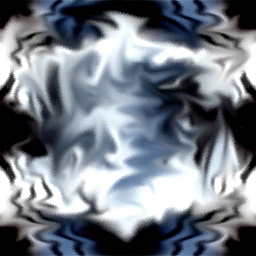
This applies - as it looks like - a bit of a silvery-shine.
Needs further testing on how we replace this default or, well, how it works overall. Some aspects of implementation: