...
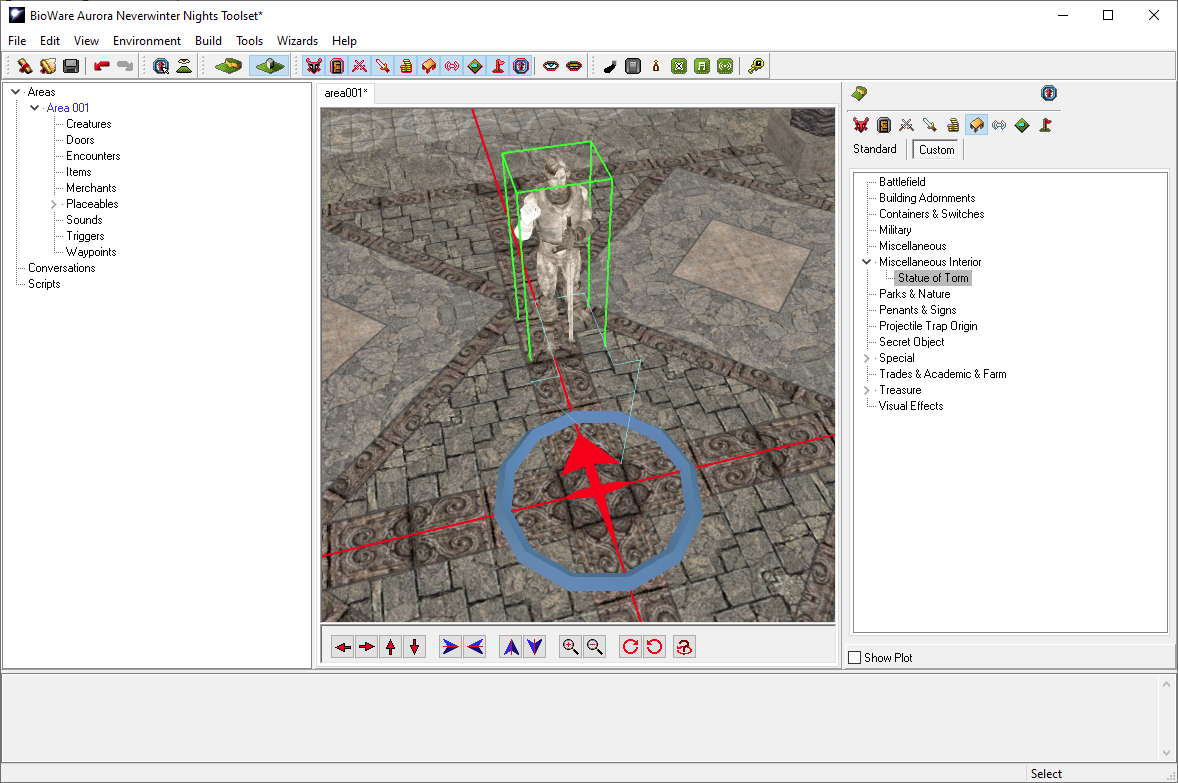
Since this is usually a non-selectable static placeable (if that checkbox check box is ticked the placeable acts as part of the terrain when placed). The portrait doesn't matter but you can change it to a stutue statue if you so wished.
Place it in the area:
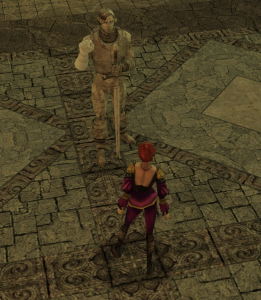
You can save and quickly press F9 to load in and make sure it doesn't crash in-game and looks fine:
Now you should put the files in a hakpack (HAK file) and attach it to your module.
If you need the final files used in this tutorial download them here: Statue of Torm.7z
Notes:
- Changing the placeables.2da file is now more difficult since we have a placed model and blueprint.
- If you changed it to be on line 1001 for instance this placeable would just not load anything.
- If you're aware of what you're doing you can safely move lines and update your module, or remove old lines.
- However it is much easier to assume anything you do is the final production line used; just be careful about adding lines en masse.
- If you remove the files from your override the same stuff happens as if you removed it, ie the model won't load. Add them to a hakpack for a more reliable and safe way to edit the module.
Summary
Congratulations on adding your first bit of custom content! There will be a Hackpack A follow on from this is using Hackpacks (HAK file) creation tutorial written in the future and linked here files) see Introduction to Hakpacks.
To add other types it is a similar process. Some key ones:
- Creature appearances - put in appearance.2da - although a lot more columns, most creature appearances will come with an example line
- Item appearances - usually just need renaming to be in a contiguous block of numbers, and even then sometimes numbers can be skipped, and they'll appear automatically if named correctly.
- New items item types - put in baseitems.2da and will likely need TLK additions
- Portraits - put in portraits.2da
- Load screens - put in loadscreens.2da
- Soundsets - put in soundsets.2da
- Visual effects - put in visualeffects.2da
- Music soundtracks - put in ambientmusic.2da
- Ambient background soundtracks - ambientsound.2da
- Sound effects - name appropriately as per Sounds and Music or if not found directly
...
- Tilesets - These are usually self-contained and have their own unique 2da file and SET file, but may need a doortypes.2da entry added.
- Races, Classes, Feats, Domains, Spells, Skills - These add significant amount of 2da file entries, sometimes new ones need creating entirely from scratch, and require extensive TLK editing and cross-referencing of ID numbers (so changing things later is harder).
- New poisons, diseases, polymorphs, weather types, loadhints, item properties,.
These require much more complex tutorials for all the various advanced options.
...