Some workflows and information on texture creation for Overhaul.
| Table of Contents |
|---|
Texture Naming and Sizing Notes
See parent page Overhaul Models and Textures for naming and sizing conventions. All files in an MTR file must be suffixed though with the appropriate ID (eg; _n for normal maps) even if the filename is truncated so script commands can work on each part of the MTR.
4x Upscaling Existing Texture DDS
...
Basically you need to use Pytorch mode and set the Alpha Mode in the options first. To save reading below use:
- 2 - Channel Alpha
- 8 bit transparency mode
For the purposes of at least basic icons there are some better options then the default "Differential Alpha" option:
...
The mainstay of content for the Overhaul to begin with will be using upscaled 4x textures with PBR additions.PBR additions.
Laigter
Download: https://azagaya.itch.io/laigter
From dafena: When making normal maps, bump's height make it 0. Gotta select all textures, make a "default one" and then you can go one by one to see if the result satisfies you without needing to uhhh, first export and such
Need to figure out if there's a command line option but it's generally quite quick to output normals and spec maps.
The good thing is I think it defaults to OpenGL normals and the normals is pretty easy to do. Heightmap generator is also included but not amazing so not sure about it's use.
The method:
- Load up a single image
- Apply the settings from a preset, but the settings usually used are for Normal Map (spec map leave at defaults, don't use the rest really):
- Enhance:
- Height 400 (or if too extreme 255 or lower is better, tweak as needed)
- Soft: 2
- Bump:
- Height: 0 (rest of the settings won't matter)
- Enhance:
- Then you can load an image in it'll use those settings and you can test them, tweak, and export.
- Spec maps may need attention eg; a creatures fur might not really be that reflective even if white (like a white Bear) therefore can tone down the Brightness option easily enough.
Height map
Go "Parallax and change type to "Height Map". Usable? Maybe.
It's only depressions though in NWN so not too useful for things that are meant to "pop out" but good for things like cobblestones or wall bricks where between the stones/bricks it might "depress".
White is "to the model level" and darker is going deeper, so mortar around bricks would be blacker. Bumping up brightness and contrast a fair bit, but to be honest it probably won't be that usable except on very uniform textures. If you can't get it to work right, export and tweak by making black areas whiter with GIMP's exposure tool (copy the stuff to change to a new layer to do it).
ShaderMap 4
Starting Tutorial: Using ShaderMap 4 (SM4) to Make Simple PBR Textures
...
- TXI (urg) can define it with EnvMapTexture
- MTR can supposedly use Texture15 for it, this needs further testing
- You can specify a texture filename in the appearance.2da entry (not a terrible idea, but only works for creatures not placeables or tiles)
Removing Baked In Specular Maps
Can use GIMP or in MindText2 you can use "Flatten Color" to remove the shine from a texture, from Defana:
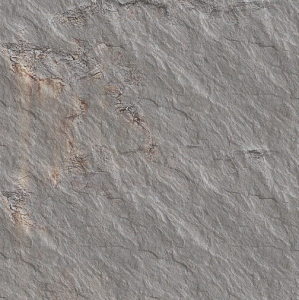
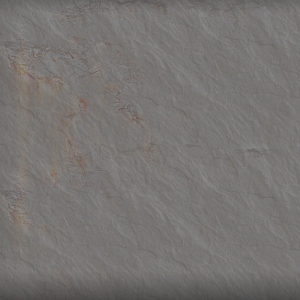
It loses some of it's quality so it can be difficult to do properly.
Using Alpha as Specular
As noted above alpha layers are used for the environment mapping "shiny/reflective" surfaces. It'd be nice to get these converted over to PBR's though (which gives us some nicer control).
...