Intro
This guide is for porting NWN2 creatures to NWN EE. The original guide was written by Discord Zetamog and was placed as a comment to a blank page. The original comment has been brought up and edited here.
Scope
This guide will cover porting NWN2 creatures to NWN EE with the scope of (a) using NWN2 animations and (b) upscaling the original textures to NWN EE's PBR texture maps.
Overview
One thing to note before starting out is that NWN2 models might have more complicated animations but appear to have fewer than NWN EE ones, at least for creatures. Overall however all of the key NWN1 animations can be fulfilled, with some adaptation. In general, NWN2 animations tend to be longer than NWNEE and in some cases the animation will be speed up for NWN EE. However the end results are generally reasonable.
NWN2 models are accompanied with GR2 (Granny) animations. When starting you will need to have the base NWN2 game and be able to search through the files and grab them.
You should do some background reading first, including:
NWN2 tools: https://forum.neverwintervault.org/t/mdb-gr2-to-fbx-fbx-to-mdb-gr2-tools/348
Neverblender: https://nwn.wiki/display/NWN1/NeverBlender
NWN EE Animations: https://nwn.wiki/display/NWN1/Animations
Getting Startedthe right tools
In addition to owning the games, you will also need the below tools
...
. Install them if you don't have them already.
- Blender (https://www.blender.org/download/)
- NWN2 Blender Addon and nwn2mdk (https://github.com/Arbos/nwn2mdk/releases)
- NWN EE Blender Addon "Neverblender" (https://neverwintervault.org/project/nwn1/other/tool/neverblender-28)
- An image upscaler of your choice, such as Cupscale (https://github.com/n00mkrad/cupscale)
- A PBR map generation tool of your choice, such as ShaderMap (https://shadermap.com/home/)
Note on the NWN2 Blender addon: if you do not have NWN2 installed in the standard install path, the plugin has to be updated. If you have issues later importing an MDB file, make sure you update the config.yml file at C:\Users\[profile]\AppData\Roaming\Blender Foundation\Blender\[version]\scripts\addons\nwn2mdk.
- Get blender + neverblender + nw2mdk from NWNVault
- You could animate the NWN2 model/MDB yourself or hook up some vertex groups to a NWN1 model and take the anims from that, but it’s probably easier to take the GR2 animation files from NWN2 and just animate the model with those. NWN2 base game models will already be animated obviously, and if you download MDBs that have no animations you should find they have super models in NWN2 they’re supposed to inherit their anims from, which are basically just base game models anyway.
...
Digging through NWN2 files
All of the files you need are in your NWN2\Data folder. Unzip all of the files so you can grab their contents easily using 7Zip or WinRAR or a tool of your choice.
It is probably also best to go into the NWN2 toolset and look at the creature you wish to convert. Look in the creature properties and get the model filename, which will help you find the files, such as "c_umberhulk".
If you search through the unzipped the files with a tool, like windows search, you'll start to see results. As you research the files you'll likely find the keyword that all the creature files share. Below is an example search:
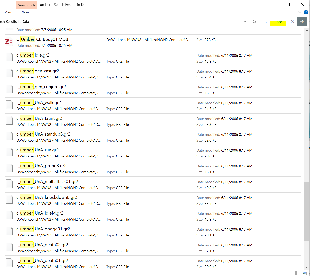
At a minimum, copy all of the file types out to a working directory: MDB, TGA, DDS and GR2. You will also want WAV and SSF files if you need to make a soundset.
- Put the GR2 anim files into the same folder as the MDB.
...