Versions Compared

Key

  • This line was added.
  • This line was removed.
  • Formatting was changed.

...

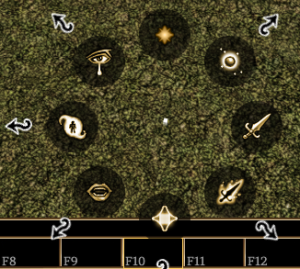
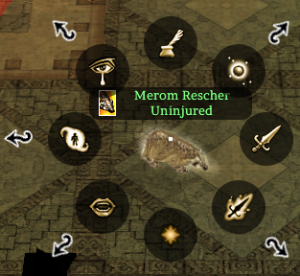
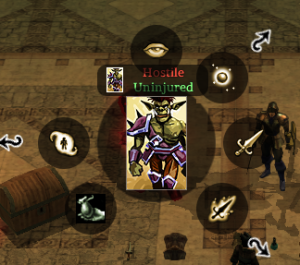
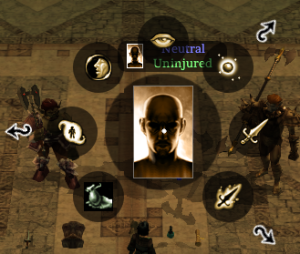
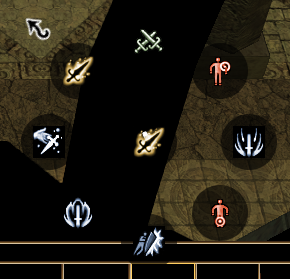
ContextPictureRadial Options (clockwise from 12 o'clock)Notes
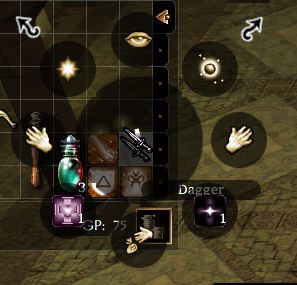
Right Click Quickbar Slot

  1. Custom Text Macro
  2. Assign Spell (Spell Menu)
  3. Attack
  4. Assign Special Attacks
  5. Assign Other Actions
  6. Assign Command
  7. Assign Special Abilities
  8. Emote

Right Click self (or top right portrait)

  1. Character Sheet
  2. Cast Spell
  3. Attack
  4. Special Attacks
  5. Cancel Polymorph
  6. Issue Command
  7. Special Abilities
  8. Emote
Cancel Polymorph only if polymorphed.
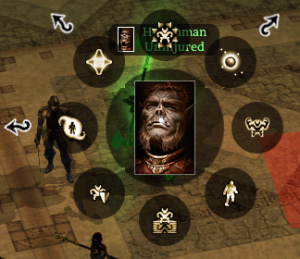
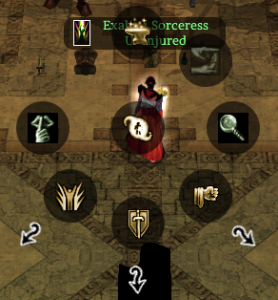
Right Click Hostile Creature

  1. Examine
  2. Cast Spell
  3. Attack
  4. Special Attacks
  5. (Blank)
  6. Pick Pocket
  7. Special Abilities
  8. Blank
Pick pocket only appears if you have that skill trained (1 skill point put in during levelup)

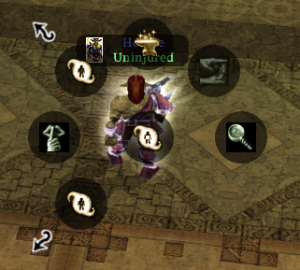
Right Click Neutral Creature

  1. Examine
  2. Cast Spell
  3. Attack
  4. Special Attacks
  5. (Blank)
  6. Pick Pocket
  7. Special Abilities
  8. Talk To
Pick pocket only appears if you have that skill trained (1 skill point put in during levelup)
Right Click Friendly (in party) NPC Creature

  1. Heal Me
  2. Cast Spell
  3. Attack Nearest
  4. Follow
  5. Stand Your Ground
  6. Guard Me
  7. Special Abilities
  8. More Actions

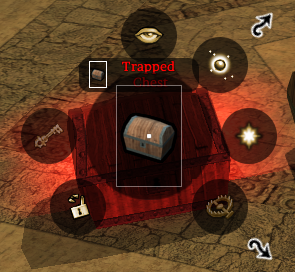
Right Click Placeable

  1. Examine
  2. Cast Spell
  3. Use
  4. Trap
  5. (Blank)
  6. Bash
  7. Lock/Unlock
  8. (Blank)

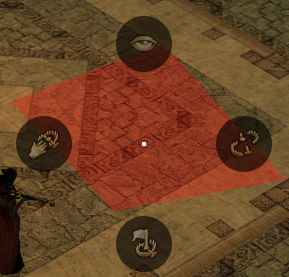
Right Click (Detected) Trap

  1. Examine
  2. (Blank)
  3. Disable Trap
  4. (Blank)
  5. Flag Trap
  6. (Blank)
  7. Recover Trap
  8. (Blank)

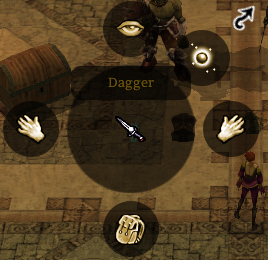
Right Click Item on Ground

  1. Examine
  2. Cast Spell
  3. Equip (or blank if not equippable)
  4. (Blank)
  5. Pick up to Inventory
  6. (Blank)
  7. Equip offhand (or blank if cannot be put in offhand)
  8. (Blank)

Right Click Item in Inventory

  1. Examine
  2. Cast Spell
  3. Equip (or blank if not equippable)
  4. Use : (First Spell)
  5. Drop
  6. Use : (Second Spell)
  7. Equip offhand (or blank if cannot be put in offhand)
  8. Use (other spells submenu)

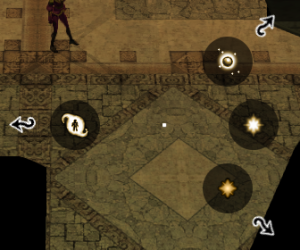
Right Click ground

  1. (Blank)
  2. Cast Spell
  3. Move To
  4. More Actions
  5. (Blank)
  6. (Blank)
  7. Special Abilities
  8. (Blank)
"More Actions" is related to surfacemat.2da OnPlayerTileAction stuff

Cast Spell Menu

If polymorphed you


Special Abilities Menu

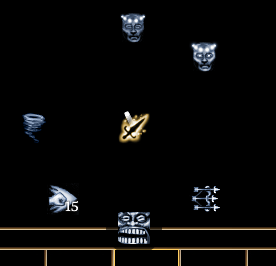
ContextPictureRadial Options (clockwise from 12 o'clock)Notes
Top level Special Abilities Menu

DM possession:

Image Added

  1. Crafting Skills
  2. Taunt
  3. Detect Mode
  4. Class 3 Submenu
  5. Class 2 Submenu
  6. Class 1 Submenu / More Special Abilities
  7. Stealth Mode(
  8. Blank)More Special Abilities

Crafting Skills opens a conversation with the player

More Special Abilities doesn't appear unless the creature is DM possessed and say has "Dragon Breath" or set to be able to cast "Fireball, caster level 10, 3 uses" in the creature properties.

Special Attacks Menu

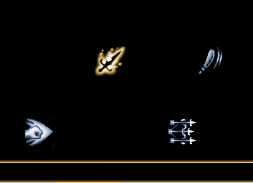
ContextPictureRadial Options (clockwise from 12 o'clock)Notes
Top level Special Attacks Menu

  1. Parry
  2. Called Shot: Arm
  3. Power Attack
  4. Called Shot: Leg
  5. Knockdown / Improved Knockdown
  6. Improved Power Attack
  7. Disarm / Improved Disarm
  8. More Special Attacks

All are hardcoded - ie if you have the feat they appear, if not it's blank.

The "More Special Attacks" appears if you have anything

More Special Attacks

DM has Sap:

  1. Expertise
  2. Improved Expertise
  3. Sap
  4. Rapid Shot
  5. Dirty Fighting
  6. Stunning Fist
  7. Whirlwind / Improved Whirlwind
  8. (Blank)

Not just expansion feats, Stunning Fist and Rapid Shot are base game.

Again hardcoded positions - have the feat → appears, if not → blank.

...