...
This can be a big pain in the arse. Things like leaves or whatnot. Even icons. Some notes to follow and check out 4x Texture Upscaling pages for some attempts at formalising it.
Basically you need to use Pytorch mode and set the Alpha Mode in the options first.
For the purposes of at least basic icons there are some better options then the default "Differential Alpha" option:
| Alpha Mode | Tested Use Case | Notes | Alpha Layer Pictures |
|---|---|---|---|
| 0 - Disabled | Anything with no alpha channel usage | Many NWN textures contain no alpha. Most tileset textures for instance, many GUI icons and textures, many feat and spell icons. | |
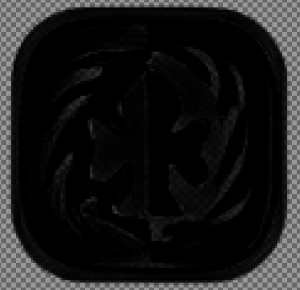
| 1- Differential Alpha | This seems to be pretty bad, at least for icons (in this case id_good.tga), see picture for what the "Alpha" layer turns into! It should be all black but instead has some alpha all over the place. Basically if we were using alpha more passively - like having wisps of smoke or the like, then it might be usable. Most domains, feats, spells icons will not use this and instead use mode 2. Will need to test it on some others. |
| |
| 2 - Separated Alpha | Icons (feats, domains, actions) | This seems to work perfectly well for icons and the like where there is basically an icon in the middle, and alpha (tending to black) around it. Example of the same icon which as a much better "small amount" of alpha fade at the edges and otherwise the middle is all opaque. |
|
| 3 - Channel | This appears to be very similar to type 11, for icons at least. See id_good.tga to the right, again it moves some alpha into the icon which isn't present in the original. The outer edges however are more nicely/gradually faded. Not that they have to be - the original icon is basically "opaque or not" alpha, with the outer edge not even being entirely black (although it kinda "fades to black"). |
|
Converting to DDS
The intermediary file, usually PNG, could be TGA or another uncompressed format, can be converted using NWN Crunch: https://neverwintervault.org/project/nwnee/other/tool/nwn-crunch-enhanced-edition
...