...
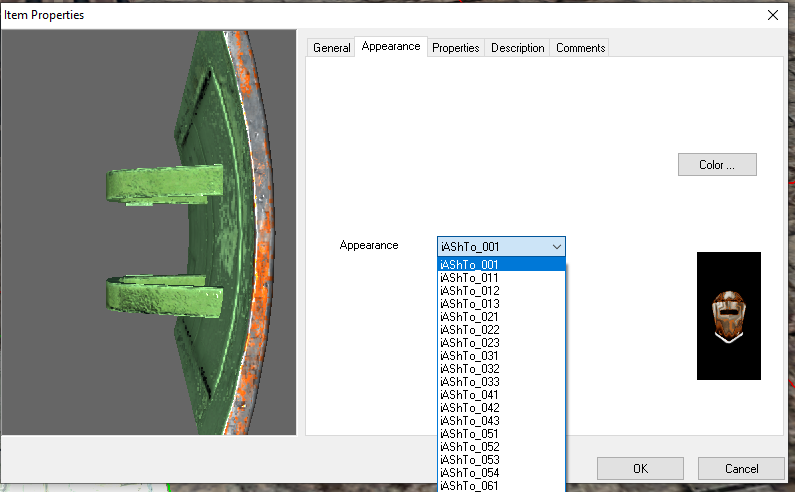
Item availability is determined by nothing other than the icon file in TGA - DDS seems to not work, nor does PLT being present. Therefore a TGA file is required for all items to show in the selection menu. In the below menu we've added ashto_001.mdl and associated icon files iashto_001.tga and iashto_001.plt
Once that is solved you then realise only the PLT texture is used regardless in the GUI, which is annoying, for instance using no PLT icon for the first shield and a helm PLT file as dummy for the second gives this:
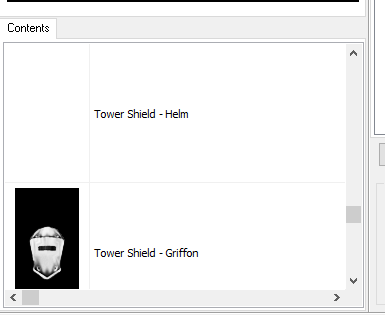
You therefore need to create (reasonably appropriate, or dummy) PLT files for each one - eg iashto_063.plt as per above.
A lesser issue since it doesn't affect building as such; there are also issues displaying the items in the toolset - it seems it gets confused and doesn't display normal or PLT backed items properly. In the screenshot below the left most one has PLT and the other two are standard DDS.
...
The main one is the renaming of textures to match PLT loading rules (same as model name, even if the PLT itself is not loaded) for the shield icon and the shield main diffuse texture; for instance the one here has ashto_063.dds in addition to ashto_063.mdl - the bitmap reference is actually unused (and probably should be changed to ashto_063 just for consistency).
The left model, ashto_061.mdl is trying to reference another texture - and just failing at it - and since ashto_061.dds (or ashto_061.plt) isn't present no diffuse is loaded at all (but normals etc. are).
...
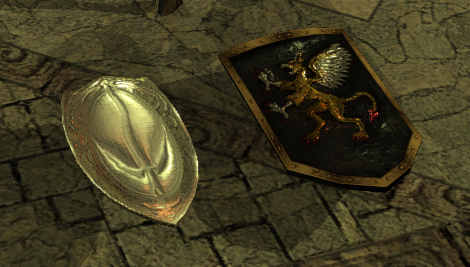
The second thing is the in-game icons, the game (for some reason compared to the above issue) requires the PLT icon that is "needed" in the toolset to load an overriding DDS file. In the below example iashto_063.plt and iashto_063.dds is present.
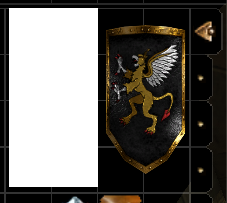
Another issue occurs for actual PLT items though! The dummy TGA icon appears! For the below shield ashto_001.mdl, we have files iashto_001.tga to show up in toolset, and iashto_001.plt for the real icon, yet the PLT file is not loaded and TGA is instead.
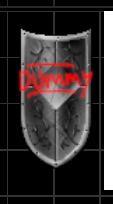
The fix to the above is simply this: if you're not developing in the toolset simply remove all the TGA files when loading into the game. For instance use the /development folder or have a builders-only hakpack. This has no effect in the game - all the right icons are loaded for the base model diffuse textures and for the icons. In the toolset it won't inherently break anything other than the dropdown menu either.
Full Example
This shows the files needed for the above notes on all the different files (mainly texture files) needed. Note:
- TGA files are simply dummies - they are NOT shown in the toolset and should be removed before viewing in game. Recommended to use a leightweight icon with DUMMY written on it as per above.
| Tower Shield Type | Example Model Name | Diffuse Texture Name | Icon: TGA (TOOLSET ONLY) | Icon: PLT | Icon: DDS |
|---|---|---|---|---|---|
| PLT shield | ashto_001.mdl | ashto_001.plt | iashto_001.tga - use DUMMY - don't load in game | iashto_001.plt - this is a real icon used in game | Unused |
| Non-PLT "simple" shield | ashto_063.mdl | ashto_063.dds | iashto_063.tga - use DUMMY - don't load in game | iashto_063.plt - this should be a "near real" icon, and required in-game to load the DDS properly | iashto_063.dds - real icon used in game (not loaded in toolset however) |