...
Place it down and test in game and it should also work:
Now
Advanced: Removing Hakpacks
That pretty much covers adding new hakpacks, of your own or others devising. The following topics cover some more advanced parts and how to edit hakpacks you or others have created.
Advanced: Removing Hakpacks
| Warning |
|---|
If you remove hakpack content make sure nothing in the module is referencing it otherwise you may start to get issues with the toolset or worse crashes in the toolset and in game as data cannot be found. |
Removing hakpacks can be done but as the warning states this is dangerous and may cause issues due to the fact NWN hasn't got a good way to check for bad data. This means adding a big project like CEP usually is a one way street and removing it later may be almost impossible. It can be better to add small amounts of curated content you need at the time, or at least start with a big pack and add some bits on top.
However you can remove hakpacks like any other thing:
First backup your hakpacks and module; zip up both sets of files together Just In Case(TM)
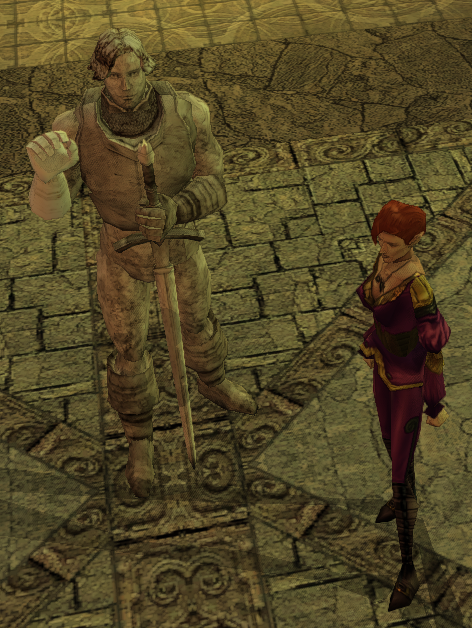
Second remove all references using that hakpack content. For instance with the statue all placeable blueprints and placed placeables that use that appearance must be changed to something else.
- If you want to delve deeper into references in different blueprints, areas, etc. you can decompile a module using Nasher which makes all files JSON and thus searchable.
- There is also a Game Option that allow you to log missing resources which might help track down some things still referenced, but does log a lot of things even on a base game install due to how NWN data is setup
Third do a build and save of the module. You might want to make a second separate save.
Fourth, remove the hakpacks in the custom content panel. The same build warning will pop up, this might be a chance to see any dead references but it is not perfect.
Finally save the module - the hakpack is removed - now go test!
Advanced: Hakpack Conflicts
...
This covers the majority of work to do with hakpacks. Advanced topics can include using hakpack files in userpatch.ini files to distribute override content that affects all modules, and how to deal with large scale hakpacks where automation using nim-tools may be a good idea.
To download the hakpack created in this tutorial for reference see here: statue_torm.7z