...
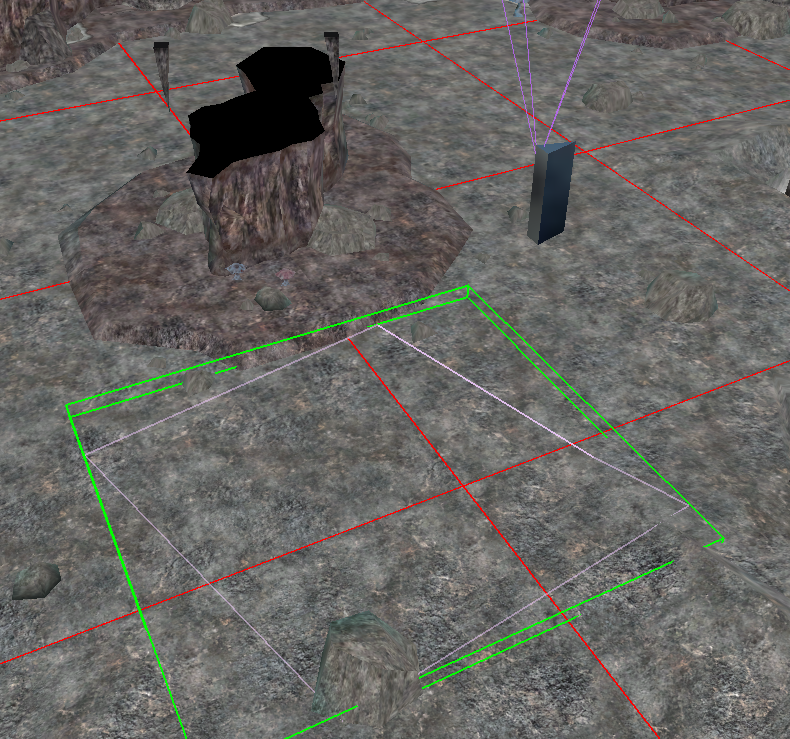
In the toolset find an encounter, draw a polygon on the ground. Simple as that - the area when entered will trigger the encounter (if the encounter is active).
The spawn point is optional (but highly recommended) since it should "spawn them outside of LOS" if not placed, but to place a related spawn point right click an encounter and select Add Spawn Point. Then place it down. This acts as an "anchor" for the spawn, although obviously one solo monster will spawn right on top of it.
These spawn points are invisible in the toolset unless an encounter is selected (presumably to not have the area lists massively over populated by them in larger areas). The spawn points can be rotated only using the buttons on the bottom of the toolset (for some reason the only right click option is Delete). The rotation determines the rotation of the creatures that are spawned at that location.
You can copy and paste blueprints (which copy any edits made) and blueprints can update every instance of them by selecting Update Instances under Advanced.
...