...
They use the UTE filetype.
| Table of Contents |
|---|
Encounter
...
Placement
In the toolset find an encounter, draw a polygon on the ground. The spawn point is optional (but highly recommended) since it should "spawn them outside of LOS" if not placed, but to place a related spawn point right click an encounter and select Add Spawn Point. Then place it down. These spawn points are invisible in the toolset unless an encounter is selected.
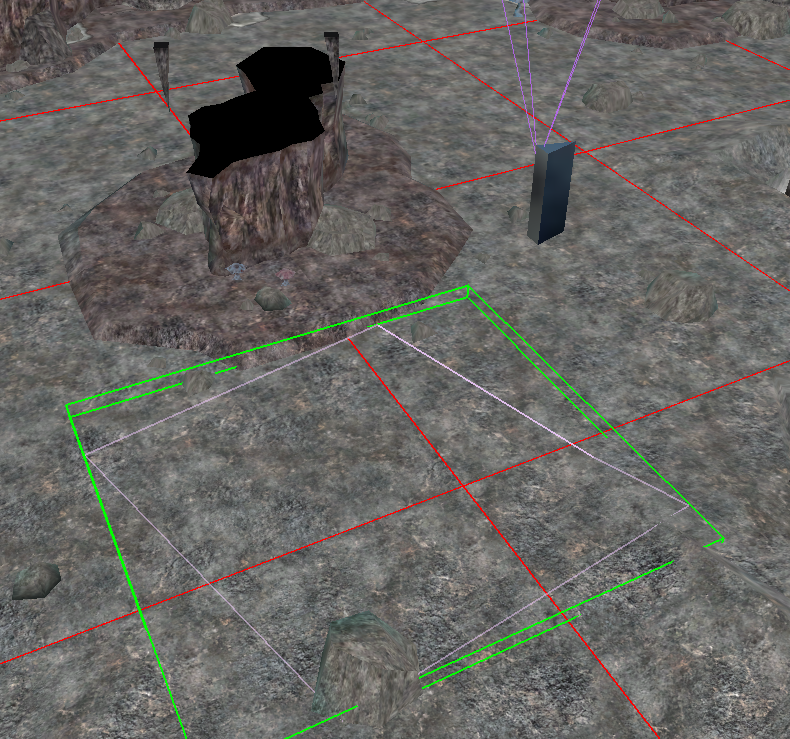
You can copy and paste blueprints (which copy any edits made) and blueprints can update every instance of them by selecting Update Instances under Advanced.
Encounter Blueprint Creation
Basic
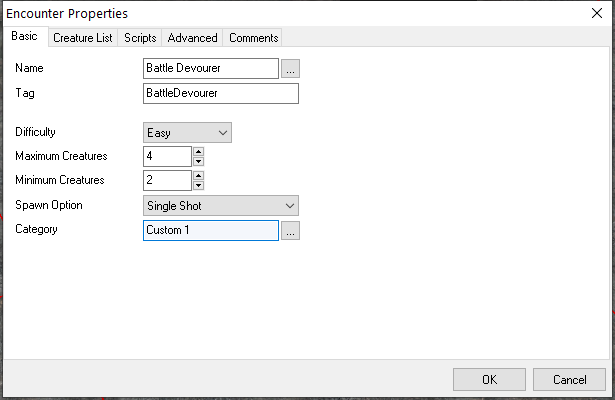
| Field | Value Type | Default | Description |
|---|---|---|---|
| Name | Text | Human readable name of the encounter used in the pallet and DM in-game lists | |
| Tag | Text (32 characters) | Tag of the encounter (usually 32 characters maximum). How to get an object by GetObjectByTag. | |
| Difficulty | Dropdown (encdifficulty.2da) | Easy | An entry from encdifficulty.2da - see below. This alters the challenge of the creatures spawned. Can be get with GetEncounterDifficulty and set with SetEncounterDifficulty in a script. |
| Maximum Creatures | Number 1-8 | 8 | The absolute maximum amount of creatures to spawn. |
| Minimum Creatures | Number 1-8 | 2 | The suggested minimum amount of creatures to spawn. Note the minimum may be decreased down to 1 if a suitable CR creature isn't found. |
| Spawn Option | Single Shot Continuous | Single Shot | Single shot fires off once (unless re-enabled by a script). Continuous will allow Advanced options to have the encounter respawn (needs further testing) |
| Category | Toolset Category | Category the blueprint lives in. Unavailable on placed triggers. |
Creature List
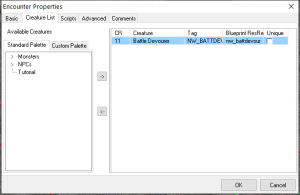
This provides a GUI to add creatures from the pallets to the encounter. Each creature blueprint can only be in the encounter list once. You cannot for instance have both a "Unique" creature and a "Non-Unique" one of the same blueprint.
...
The scripts fire as per any normal trigger scripts, and have OnEnter, OnExit, OnHeartbeat and OnUserDefined as usual, with an additional OnExhausted which is only available for encounters and fires when the encounter is done respawning monsters.
Note OnExhuasted may be a little buggy with save games.
Advanced
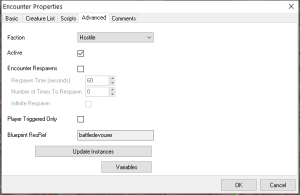
| Field | Value Type | Default | Description |
|---|---|---|---|
| Faction | Faction dropdown list | Hostile | One of the default or custom module-specific factions. It must be hostile to an entering creature to fire (even if the monsters spawned from it are not hostile). |
| Active | Tickbox | Ticked | If unticked it won't fire unless a script enables it using SetEncounterActive. Vice versa an already active encounter can be disabled with the same command later. |
| Encounter Respawns | Tickbox | Unticked | Only available if "Continuous" is selected for the Spawn Option. It allows a constantly repopulating encounter. |
| Respawn Time (Seconds) | Integer 1 - 32000 | 60 | In game seconds so pausing the game pauses this respawn timer. It is very likely to be affected by SetTime. |
| Number of Times To Respawn | Integer 0 - 32000 | 0 | The number of times this encounter should respawn. You can get it in a script with GetEncounterSpawnsMax and set it in a script with SetEncounterSpawnsMax. You can also even get the current spawn counter with GetEncounterSpawnsCurrent and set it with SetEncounterSpawnsCurrent. |
| Infinite Respawn | Tickbox | Unticked | If ticked Number of Times To Respawn is greyed out. For some reason this isn't a findable property in a script - unknown how it affects the GetEncounterSpawnsMax function. |
| Player Triggered Only | Tickbox | Ticked | On by default. This means a player character (not DM) will trigger this only. I don't think associates (eg; henchmen) would, but a possessed familiar might? |
| Bluerpint Resref | Text (16 characters) | The filename of the blueprint. Only |
| editable if doing Edit Copy of an original. You'd use this field in CreateObject if it worked with encounters. | |||
| Update Instances | - | Unavailable outside of blueprint instances. This will update all the matching resrefs placed in the module, overriding any changes made to the placed ones (which create a duplicate copy of all the settings on an encounter). Handy if the blueprint one is authoritative. | |
| Variables | - | Encounters can have variables (int, string, float) placed on them as per any other object. |
2da Relations
The encounter system has the encdifficulty.2da loaded which contains the contents:
...