...
Label max length: The maximum length of a label when exporting 2da files from the names you've used. For instance if you want labels to be only 10 characters max it will cut them off after 20 ("My Epic Super Feat" becomes "MY_EPIC_SU" as a label). Can usually just leave at -1.
Custom Data and Custom Data Tables
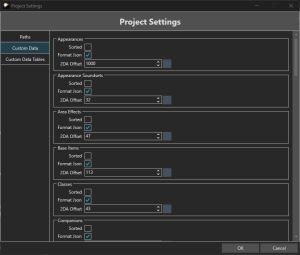
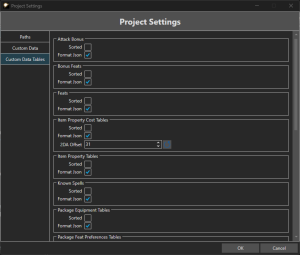
This section deals with adding new custom data to existing 2da files, where should it go and how should it be done?
All the 2das have the same settings although some don't need 2DA offset setting since there is no need:
Sorted: This will sort the order of entries in the toolsets GUI. By default sorting is off and based off 2da line. This is dependant on your preference since the Search functionality is good at finding things.
Format Json: The Eos JSON files that it generates when saving can be formatted. This means whitespace is added making them larger, but it can make it much more readable in source control and diff programs. Recommended to enable this for anyone using source control.
- Note that while the formatting is more consistent, data sometimes "moves around" JSON files as things are added, removed, moved, etc.
2DA Offset: This will start new entries at the given offset. This is set by the Toolset automatically based on the default game files or the imported data if you use any. You can set it by hand which can help projects wanting to pad entries past what other projects or developers use for compatibility purposes.